












Dify is an open-source platform for developing large language model (LLM) applications. It combines the concepts of Backend as a Service (BaaS) and LLMOps, enabling developers to quickly build production-grade generative AI applications.
Dify offers various types of tools, including first-party and custom tools. These tools can extend the capabilities of LLMs, such as web search, scientific calculations, image generation, and more. On Dify, you can create more powerful AI applications, like intelligent assistant-type applications, which can complete complex tasks through task reasoning, step decomposition, and tool invocation.
Dify works with AI Search Demo
Till now, Dify could not integrate with Microsoft directly via default Dify web portal. Let me show how to achieve it.
Please log in to YouTube to watch the tutorial.
Dify works with AI Search Configuration steps
Configure on AI search:
Create index, make sure you could get the result from AI search index:
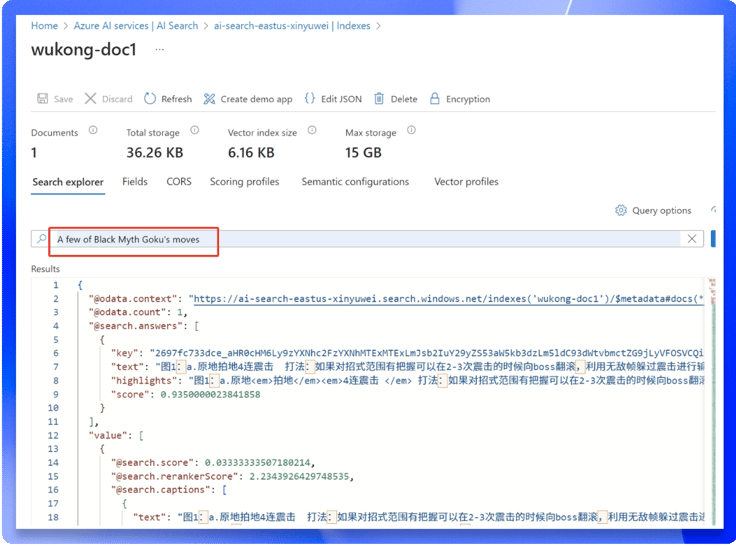
Run Dify on VM via docker:
root@a100vm:~# docker ps |grep -i dify5d6c32a94313 langgenius/dify-api:0.8.3 "/bin/bash /entrypoi…" 3 months ago Up 3 minutes 5001/tcp docker-worker-1264e477883ee langgenius/dify-api:0.8.3 "/bin/bash /entrypoi…" 3 months ago Up 3 minutes 5001/tcp docker-api-12eb90cd5280a langgenius/dify-sandbox:0.2.9 "/main" 3 months ago Up 3 minutes (healthy) docker-sandbox-1708937964fbb langgenius/dify-web:0.8.3 "/bin/sh ./entrypoin…" 3 months ago Up 3 minutes 3000/tcp docker-web-1Create customer tool in Dify portal,set schema:
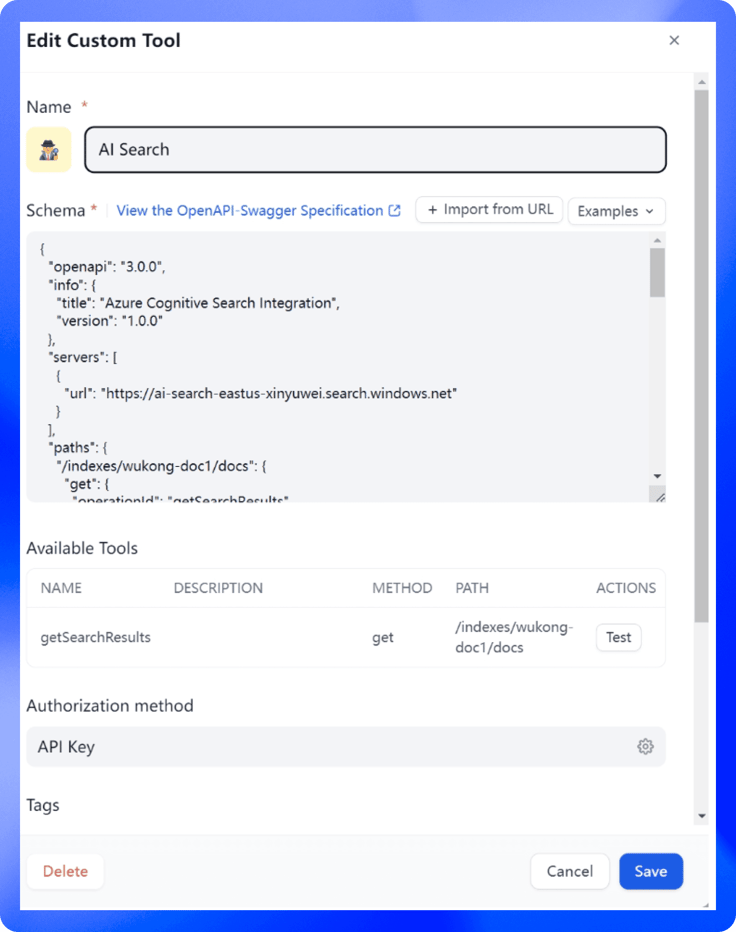
Schema details:
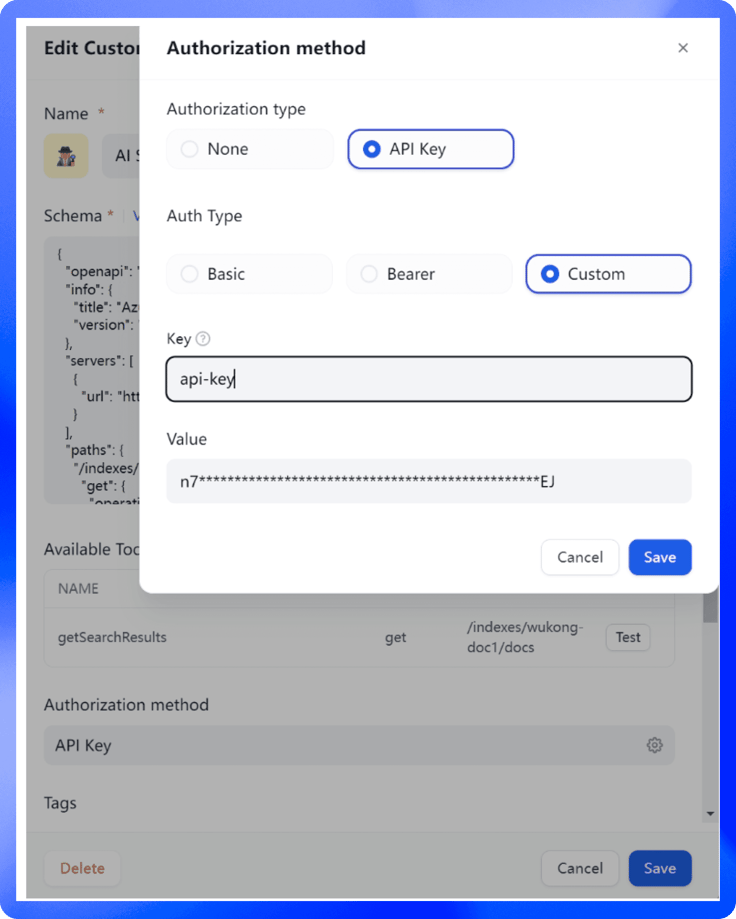
{ "openapi": "3.0.0", "info": { "title": "Azure Cognitive Search Integration", "version": "1.0.0" }, "servers": [ { "url": "https://ai-search-eastus-xinyuwei.search.windows.net" } ], "paths": { "/indexes/wukong-doc1/docs": { "get": { "operationId": "getSearchResults", "parameters": [ { "name": "api-version", "in": "query", "required": true, "schema": { "type": "string", "example": "2024-11-01-preview" } }, { "name": "search", "in": "query", "required": true, "schema": { "type": "string" } } ], "responses": { "200": { "description": "Successful response", "content": { "application/json": { "schema": { "type": "object", "properties": { "@odata.context": { "type": "string" }, "value": { "type": "array", "items": { "type": "object", "properties": { "@search.score": { "type": "number" }, "chunk_id": { "type": "string" }, "parent_id": { "type": "string" }, "title": { "type": "string" }, "chunk": { "type": "string" }, "text_vector": { "type": "SingleCollection" }, } } } } } } } } } } } }}Set AI Search AI key:
Do search test:
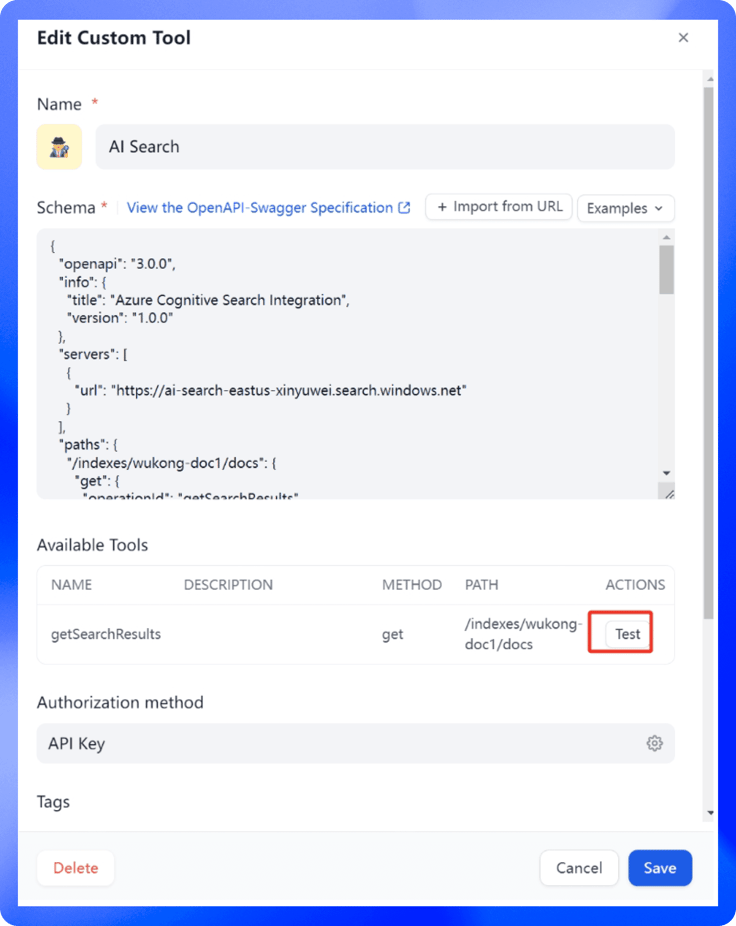
Input words:
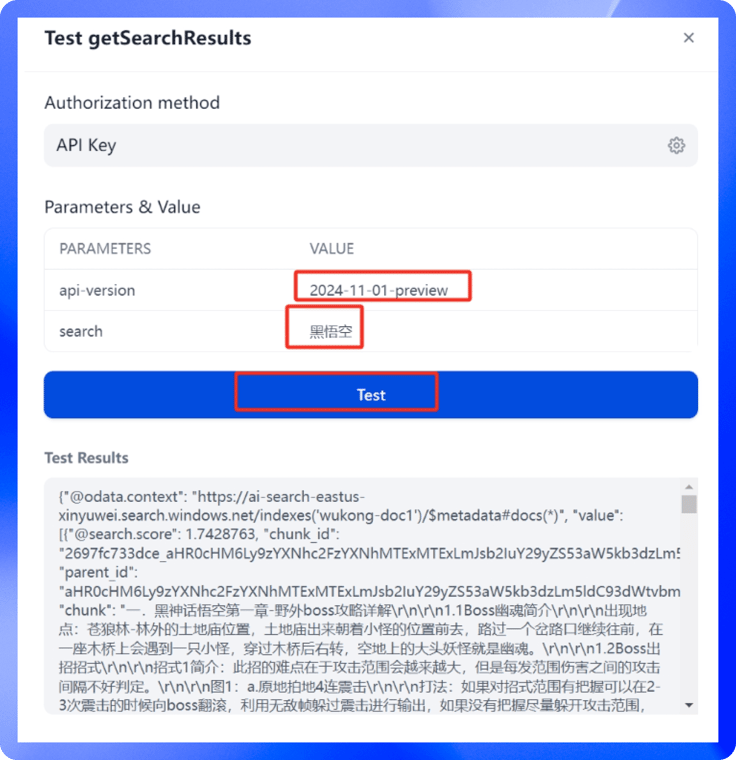
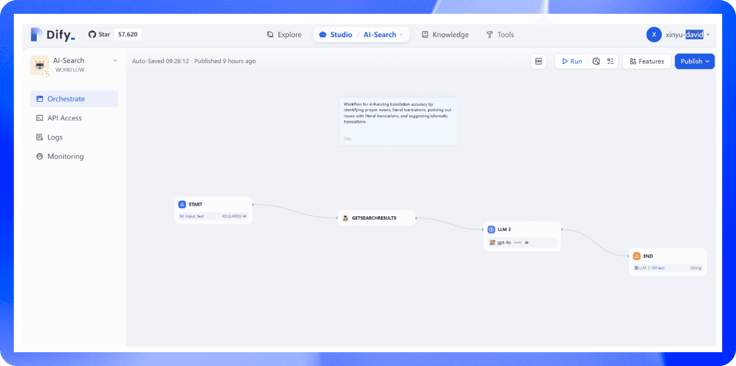
Create a workflow on Dify:
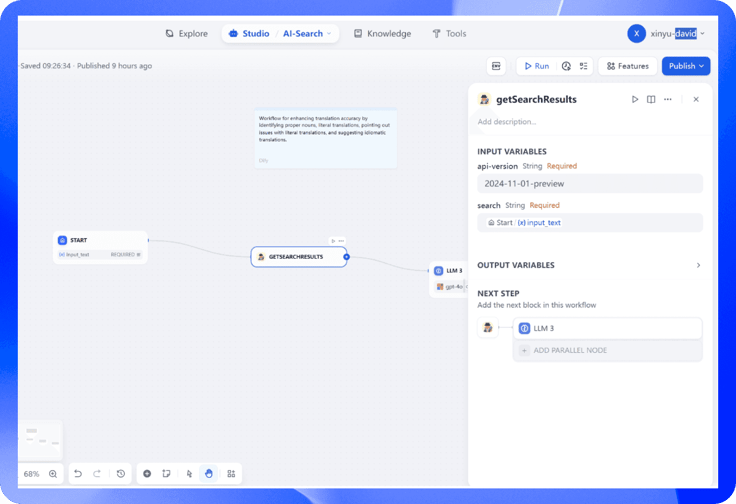
Check AI search stage:
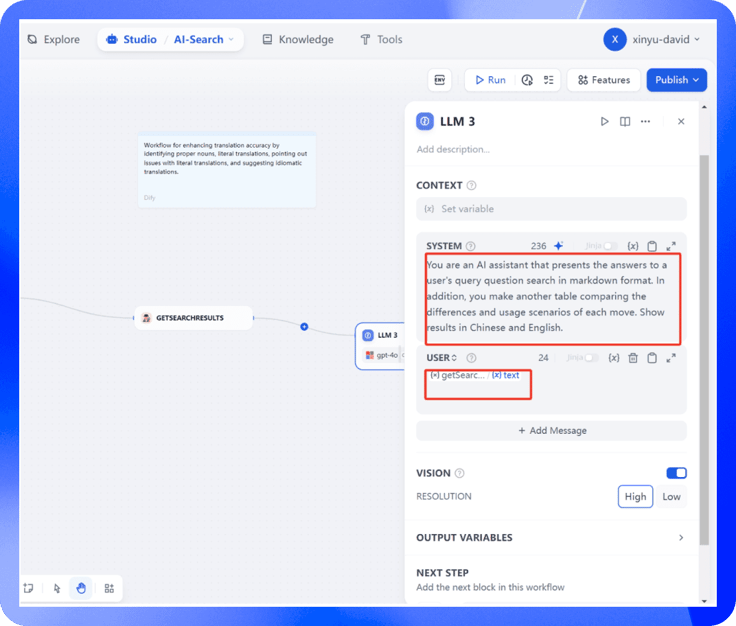
Check LLM stage:
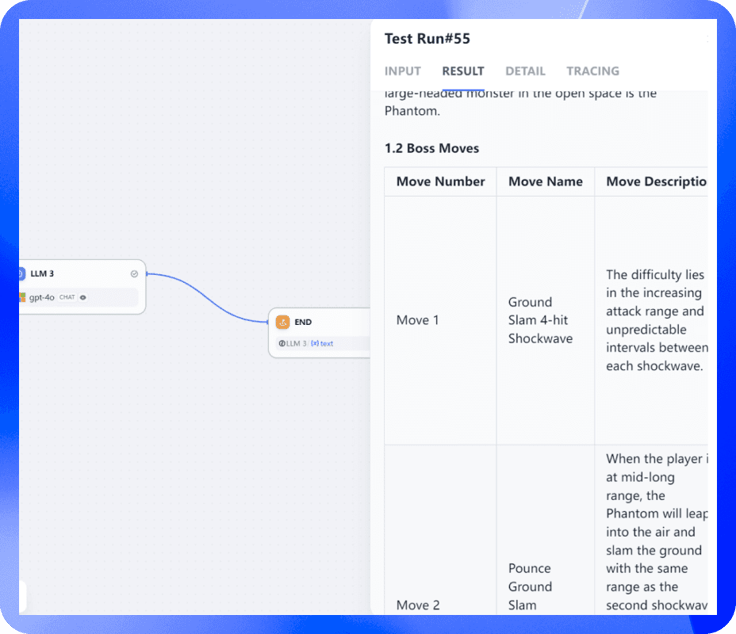
Run workflow:
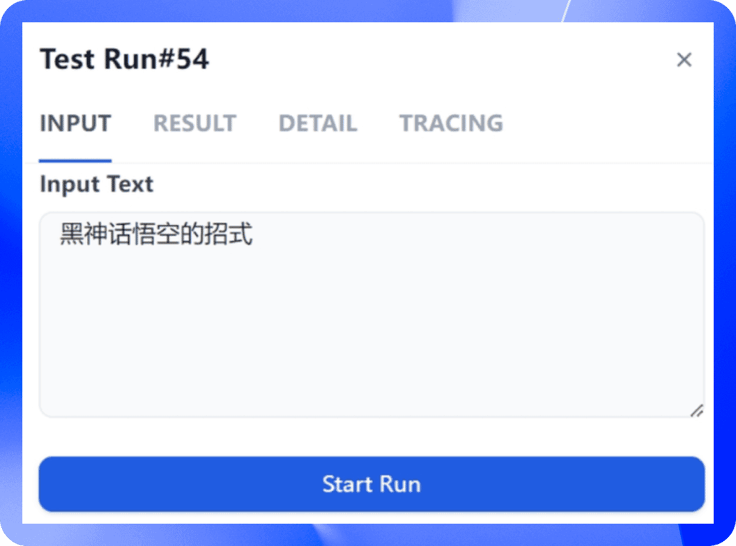
Get workflow result:
Related articles
- How to
AI Agent or Workflow? How to Choose the Right Approach
Learn when an AI agent is a good fit, when a workflow is more reliable, and how IT teams can test and govern either approach.
 Anne Zhu
 - How to
How to Create an AI Shopping Agent that Boosts Your Ecommerce Store
From catalog scraper and personalized recommendations to qualified lead capture, learn how to build an AI agent for your online store with Dify.
 Alex
Alex - How to
I Patched Calendly with New Agent
Use an Agent to make the software you already rely on work the way you work without rebuilding the whole thing.
Alex - How to
How to Build Your First Agent in Dify
Learn how to build an agent in Dify without coding or learning all the technical details. Create an agent, customize it through chatting, and use it as a standalone app or add it to the workflow.
Anne Zhu