












In v1.15.0, Dify officially ships difyctl, its command-line tool. It's not just Dify moving from the browser to the terminal. It turns apps that used to live entirely on the web into something automation scripts, CI, and AI agents can call directly.
For anyone who wants Codex, Claude Code, Cursor, or a similar coding agent to call Dify directly, difyctl ships with a matching agent skill installer. Running the install command writes a SKILL.md file into your local agent's skills directory.
That file isn't a command reference. It's a lightweight brief written for the agent: it teaches the agent to read what difyctl can actually do in your local environment, and, based on your current login session, to understand your app entries, recognize input fields, call workflows, and handle the pause and resume cycle.
Five steps to get started
- Set up difyctl locally, sign in, and install the agent skill.
- Have a Dify workflow ready to call.
- Teach the agent when and how to call it.
- The agent triggers it, and Dify takes over.
- Review the result by email or console, then approve.
1. Get difyctl running locally
Before anything else, set up difyctl locally. Think of it as the hands the agent uses to reach Dify. Follow the docs yourself, or hand the docs link or page content to the agent and let it handle install and setup.
Install Docs
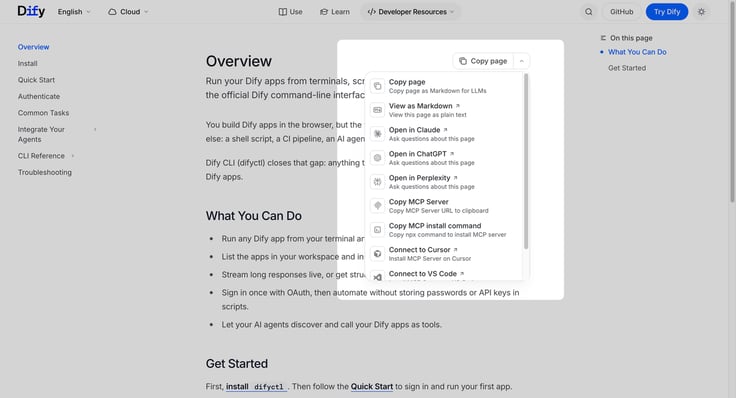
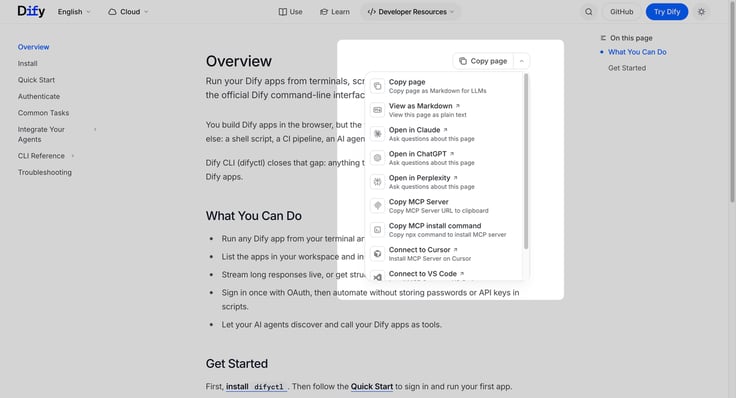
The docs page can jump you straight to a compatible agent, or you can copy the page content or link and hand it to the agent directly. Or run the install command yourself:
curl -fsSL https://raw.githubusercontent.com/langgenius/dify/main/cli/scripts/install-cli | bash
Authenticate
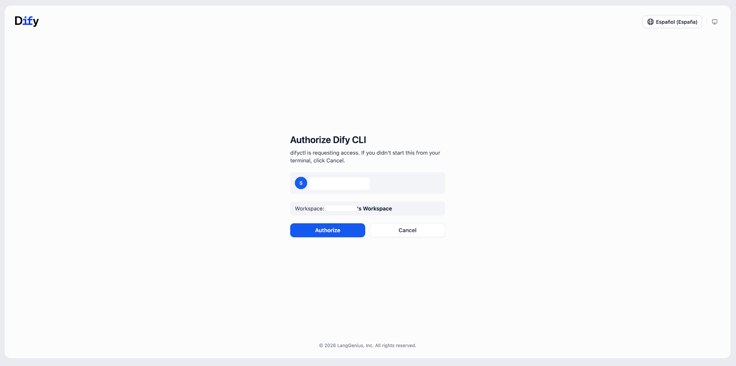
Once installed, run the login command. The agent can run this on its own, or you can follow the terminal prompt to open the device login page and enter the code:
difyctl auth login
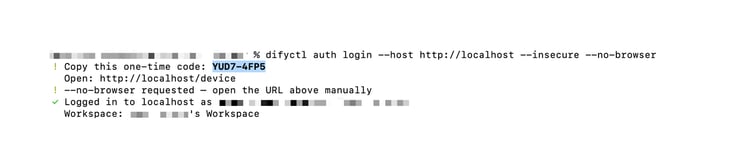
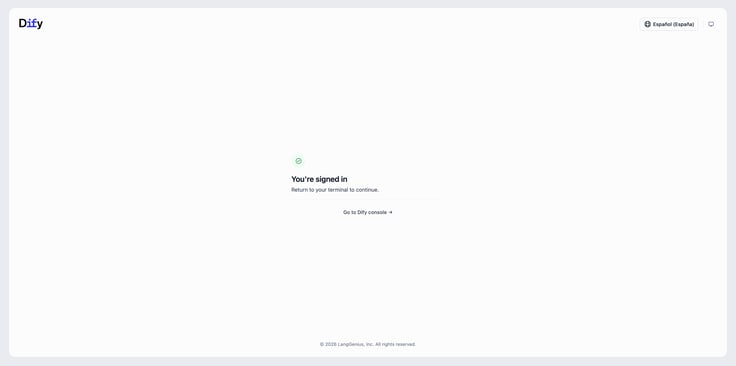
The agent follows the docs to run the install, then runs the login command itself, or opens http://localhost/device per the terminal prompt and enters the code to finish logging in. The code expires after 15 minutes. If it does, just run difyctl auth login again.
Install the agent skill
difyctl skills install --yes
This writes a SKILL.md file into your local agent's skills directory, teaching it to automatically discover apps, recognize parameters, call workflows, and handle pausing and resuming.
2. Have a Dify workflow ready
You'll also need an app already built in Dify. An agent doesn't call an abstract capability, it calls a real, existing Dify app.
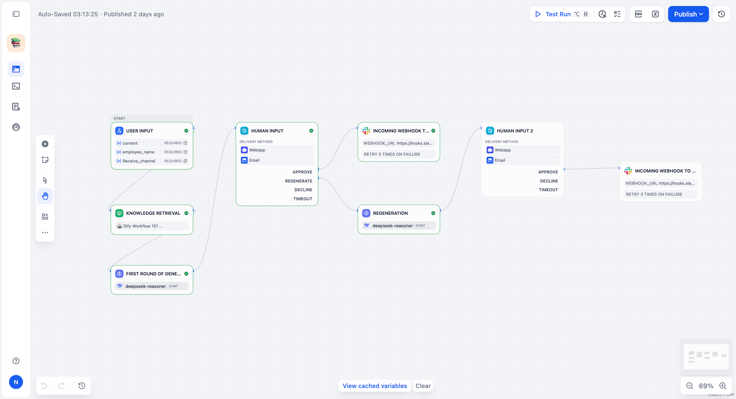
Example app: Daily Work Summary Review
This workflow takes a weekly project summary from the agent, cross-references it against meeting notes and project records in the knowledge base, and pauses at a Human Input node so you can confirm the result. Once approved, the final version goes to Slack, cutting down the back-and-forth of a routine task.
Once the workflow is built, remember its name. Then just tell the agent:
"Please trigger the Daily Work Summary Review workflow for me."
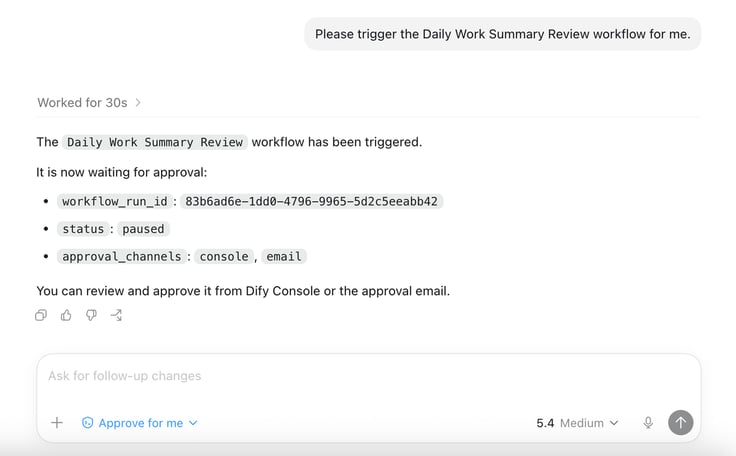
The agent queries the available apps through difyctl and locates the right Dify app instance on its own.
3. Teach the agent how to call this workflow
This is the key step. The agent has no built-in sense of your business rules, so you need to tell it when to call this Dify workflow, and what to pass in when it does.
Example prompt rule
"When I say 'summarize project progress' or 'sync this week's progress,' pull together a summary from this week's conversation, covering progress, blockers, and follow-ups, then call the Daily Work Summary Review workflow."
4. The agent triggers it, Dify takes over
Once the agent gets the instruction, it calls difyctl on its own and passes the drafted content into the Dify workflow.
What the terminal captures:
{
"status": "paused",
"workflow_run_id": "xxxx",
"approval_channels": ["console", "email"]}
Because this workflow includes a Human Input node, once execution reaches it, Dify safely puts the run into a paused state and sends out a notification, handing the final decision back to you without cutting any corners.
5. Review in your inbox or the console

Once the workflow is safely paused, you'll get an approval email or a Dify console notification with the full context. If something needs changing, add your notes directly in the approval form and regenerate. If the draft looks right, click Approve, and Dify handles everything else: finalizing the content and pushing it across systems to Slack, a webhook, a team channel, or an internal IM tool.
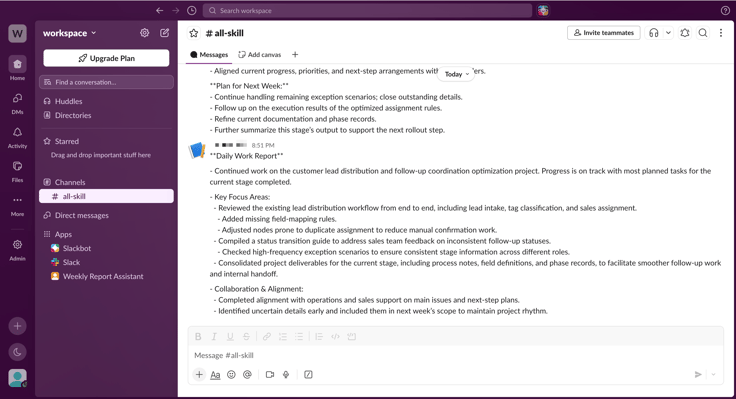
At that point, you don't need to open a terminal or go back into Dify to do anything by hand.
The agent's trigger, Dify's knowledge base, human review, and outbound delivery are now one stable production pipeline.
From manual handoffs to one sentence
In the past, a task like this meant pulling together an update by hand, opening Dify, pasting it in, running the workflow, checking the result, editing it, and sending it out to another tool. Now, it collapses into one instruction and one review:
- "Help me track this week's project progress."
- "Pull and clean up this week's leads."
- "Upload these receipts and run the reimbursement process."
- "Flag any system alerts and suggest a response."
The Dify CLI extends natural language into every corner of the terminal, and Dify workflows turn complex knowledge management, human oversight, and multi-system delivery into something that's actually maintainable.
Closing
Technology was never about piling on more to keep track of. When a complex process collapses into one instruction and one review, an organization gets to put its best judgment back where it belongs: on the work that actually matters.
Related articles
- How to
AI Agent or Workflow? How to Choose the Right Approach
Learn when an AI agent is a good fit, when a workflow is more reliable, and how IT teams can test and govern either approach.
 Anne Zhu
 - How to
How to Create an AI Shopping Agent that Boosts Your Ecommerce Store
From catalog scraper and personalized recommendations to qualified lead capture, learn how to build an AI agent for your online store with Dify.
 Alex
Alex - How to
I Patched Calendly with New Agent
Use an Agent to make the software you already rely on work the way you work without rebuilding the whole thing.
Alex - How to
How to Build Your First Agent in Dify
Learn how to build an agent in Dify without coding or learning all the technical details. Create an agent, customize it through chatting, and use it as a standalone app or add it to the workflow.
Anne Zhu