












Welcome to your new AI workspace! If you are looking to bring the power of AI into your daily life, your business, or your products, you are in the right place.
Building with AI used to require a team of specialized engineers, complex infrastructure, and months of coding. But today, you and your team can skip these hurdles and build powerful AI applications together with Dify.
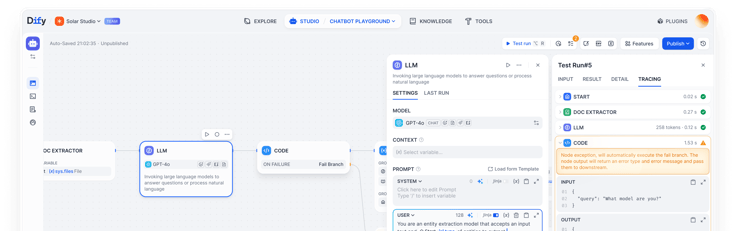
What is Dify?
Dify is one of the most capable and trusted AI platforms. You can build, govern, and deploy trusted AI workflows without setting things up from the ground.
Whether it's a customer service chatbot connected to internal data, an automated workflow that triggered by an event or running on a schedule, or an AI agent that summarizes daily industry news for your team, Dify offers you everything you need to build it, test it, and put it to work.
Where Should I Start
Dify provides different app types depending on your needs. Here is a breakdown of the app types to help you choose the starting point.
| App Type | Best Used When | Start Here if |
|---|---|---|
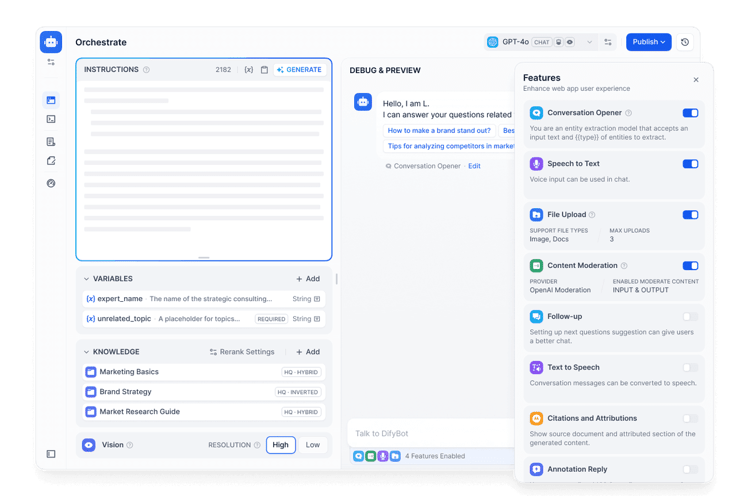
Chatbot For simple, back-and-forth conversations
| You want a quick and simple Q&A assistant for your team or customers. | You're new here and want to build a chatbot instantly with your data. |
Agent Autonomous problem-solving with external tools. 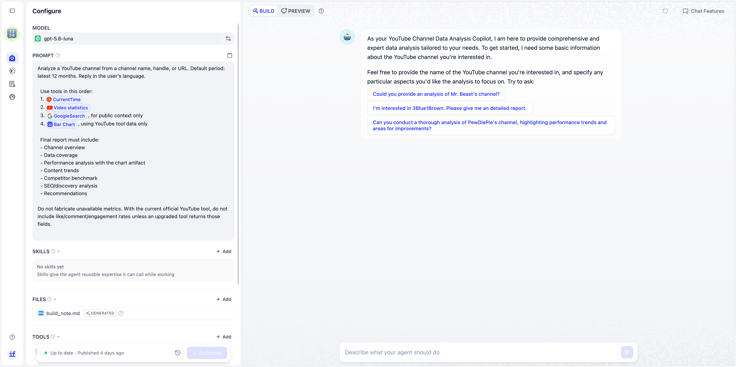 | The task requires AI to reason, choose what to do next, and use tools such as searching. | You need AI to figure out how to solve the task, rather than follow a fixed sequence of steps. |
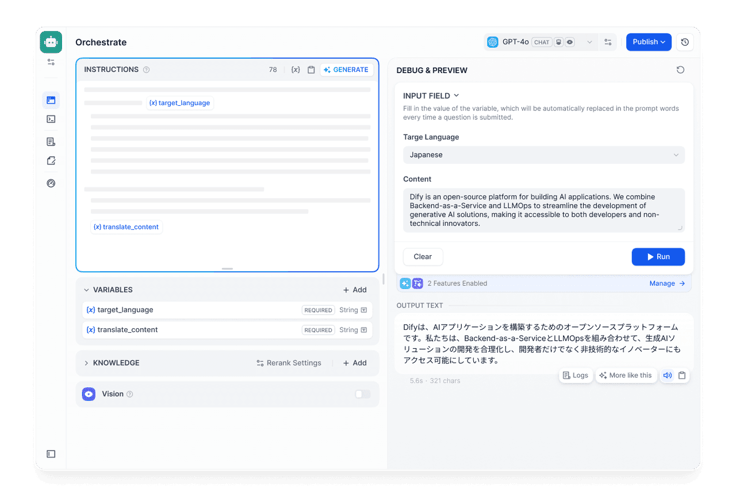
Text Generator Instant content creation.
| You need structured content output (report, summaries) | You need to build a "Cold Email Writer" or "Meeting Minutes Assistant" where users just need to fills out a few fields to get a complete draft. |
Workflow Intelligent, multi-step background automations that run complex processes on their own.
| You have a multi-step process or tasks to automate end-to-end | You're automating a repeatable business process. |
Chatflow Smart and logic-driven chats.
| You need to build a conversational flow with memory, branching logic, and custom conversation-specific variables | You need guided Q&A with routing. |
Meet the Core Building Blocks
Let's dive into the four core pillars you'll use to build and power your AI applications:
1. Large Language Model (LLM)
Dify is model-agnostic, which means you can choose from different model providers in the world.
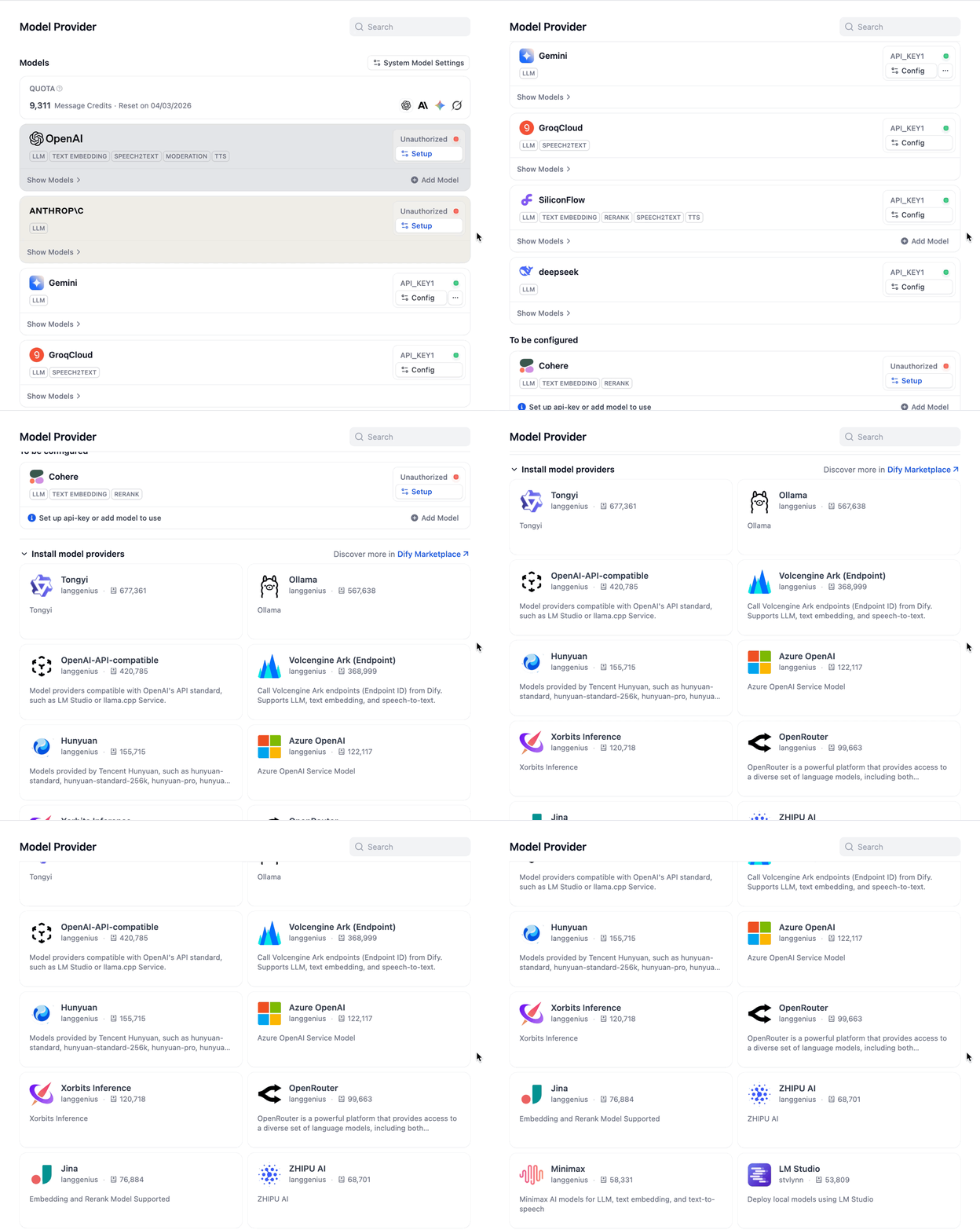
In Dify cloud, we offer 200 free message credits right of the box for you to explore OpenAI, Anthropic (Claude), Google (Gemini), xAI (Grok). Here's how to install them in just a few clicks. Start by clicking on your avatar, then settings, and model provider. Click the LLM icon, then install, and you are good to go.
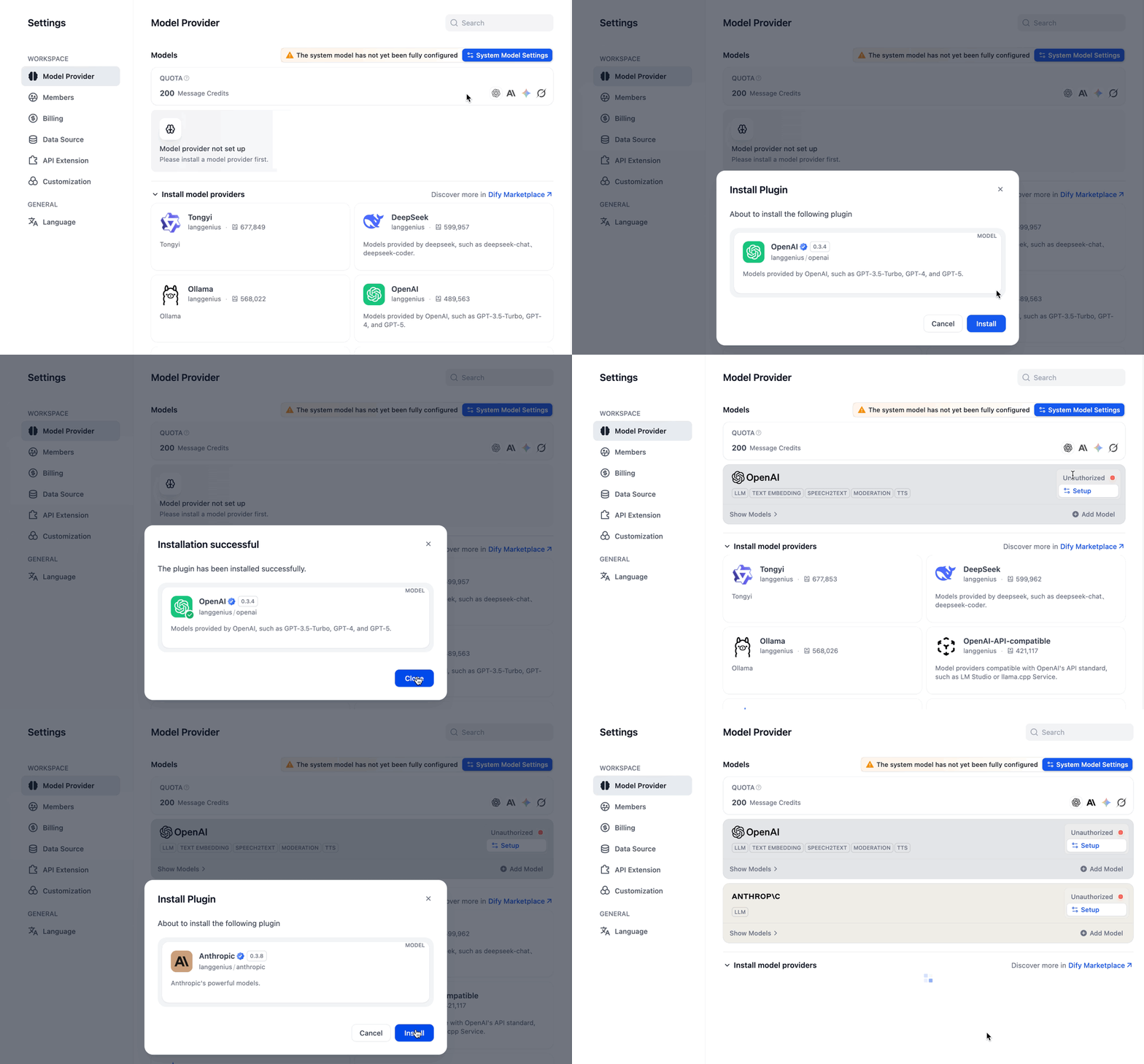
Now, switch between different models at any time and choose the one that works best for you.
2. Nodes
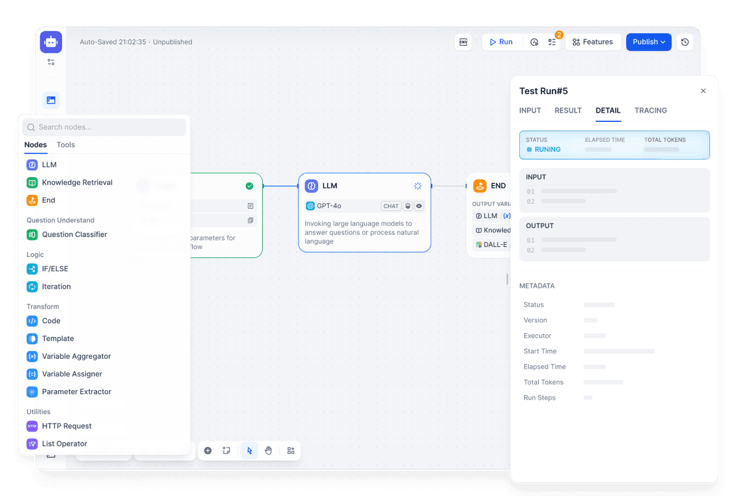
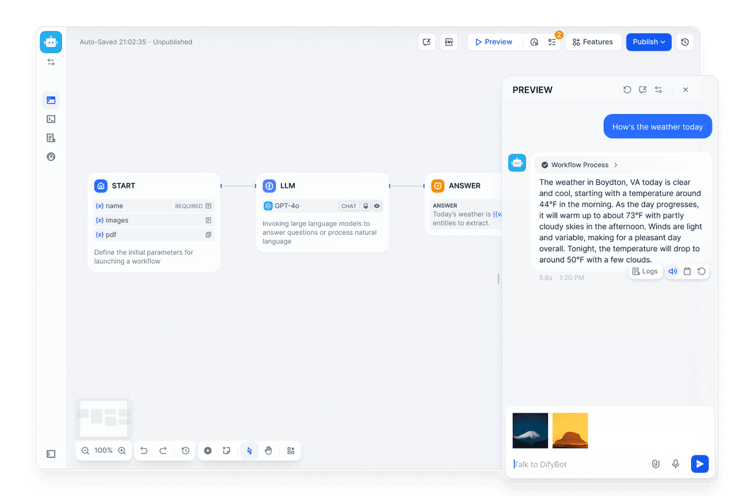
When building workflows and chatflows, you'll use Nodes. They are individual steps or building blocks on your visual canvas. Each node has a specific task. By snapping different nodes together, you create the exact path you want your AI to follow.

3. Knowledge
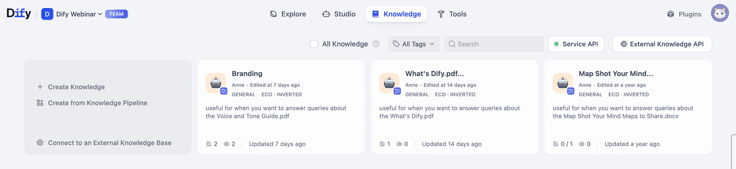
AI is only as smart as the information it has access to. With Dify's Knowledge feature (built on Retrieval-Augmented Generation, or RAG), you can upload local files, sync Notion workspaces, or crawl webpages. Dify automatically processes this data so your AI can generate accurate, context-aware answers without hallucination.
4. Tools
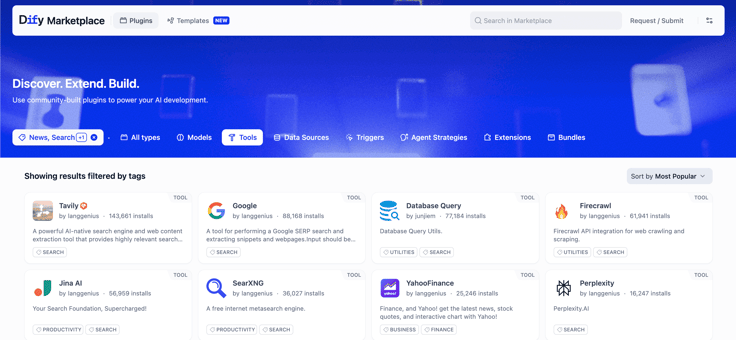
Want your AI to search the web, check the weather, or scrape information from Wikipedia? Dify comes with built-in Tools (plugins) that allow your applications to interact with the outside world. Find our more tools in Dify Marketplace.
As you start building, you'll encounter a few foundational concepts that turn a basic AI prompt into a powerful piece of software. Gear up with Dify Key Concepts to level up your building skills.
🤔 Still Not Sure Where to Start?
We understand getting started with a new tool can be overwhelming. We've got everything you need to unpack and learn step-by-step.
Start with Templates
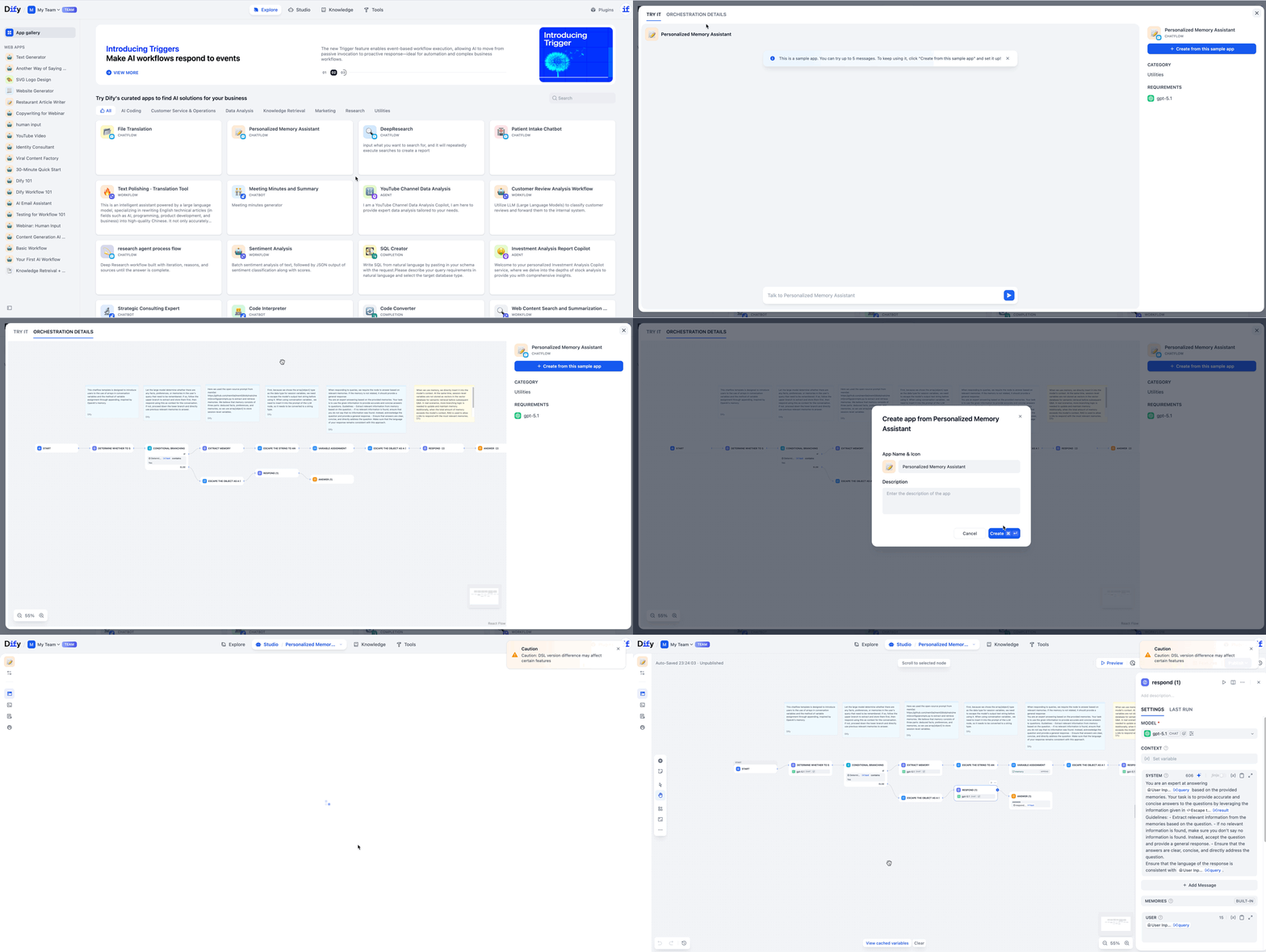
Skip the blank canvas, and check out the Explore. Explore some of the ready-to-use templates that cover marketing, data analysis, and more. Hover and click on Details to see how this template is built before officially open and run it in your Dify studio.
Follow a Quick Tutorial
If you want to build from scratch, start with our step-by-step tutorial and publish your first AI application in a few minutes.
Take a Beginner Course
Totally new to AI but want to understand the fundamentals? Follow Workflow 101, learn and master the basics in an intuitive way with hands-on practice and mini challenges.
Run Your Application and Scale
Every workflow you build in Dify automatically generates a link, API, and MCP server. You can plug your AI application directly into your website and track its performance in the dashboard to continuously improve your app.
It's your time to shine. We can't wait to see what you build.
👋 Need a hand? Join our Forum for learning, sharing, and collaborating.
Related articles
- How to
AI Agent or Workflow? How to Choose the Right Approach
Learn when an AI agent is a good fit, when a workflow is more reliable, and how IT teams can test and govern either approach.
 Anne Zhu
 - How to
How to Create an AI Shopping Agent that Boosts Your Ecommerce Store
From catalog scraper and personalized recommendations to qualified lead capture, learn how to build an AI agent for your online store with Dify.
 Alex
Alex - How to
I Patched Calendly with New Agent
Use an Agent to make the software you already rely on work the way you work without rebuilding the whole thing.
Alex - How to
How to Build Your First Agent in Dify
Learn how to build an agent in Dify without coding or learning all the technical details. Create an agent, customize it through chatting, and use it as a standalone app or add it to the workflow.
Anne Zhu