







Human Judgement In The Loop
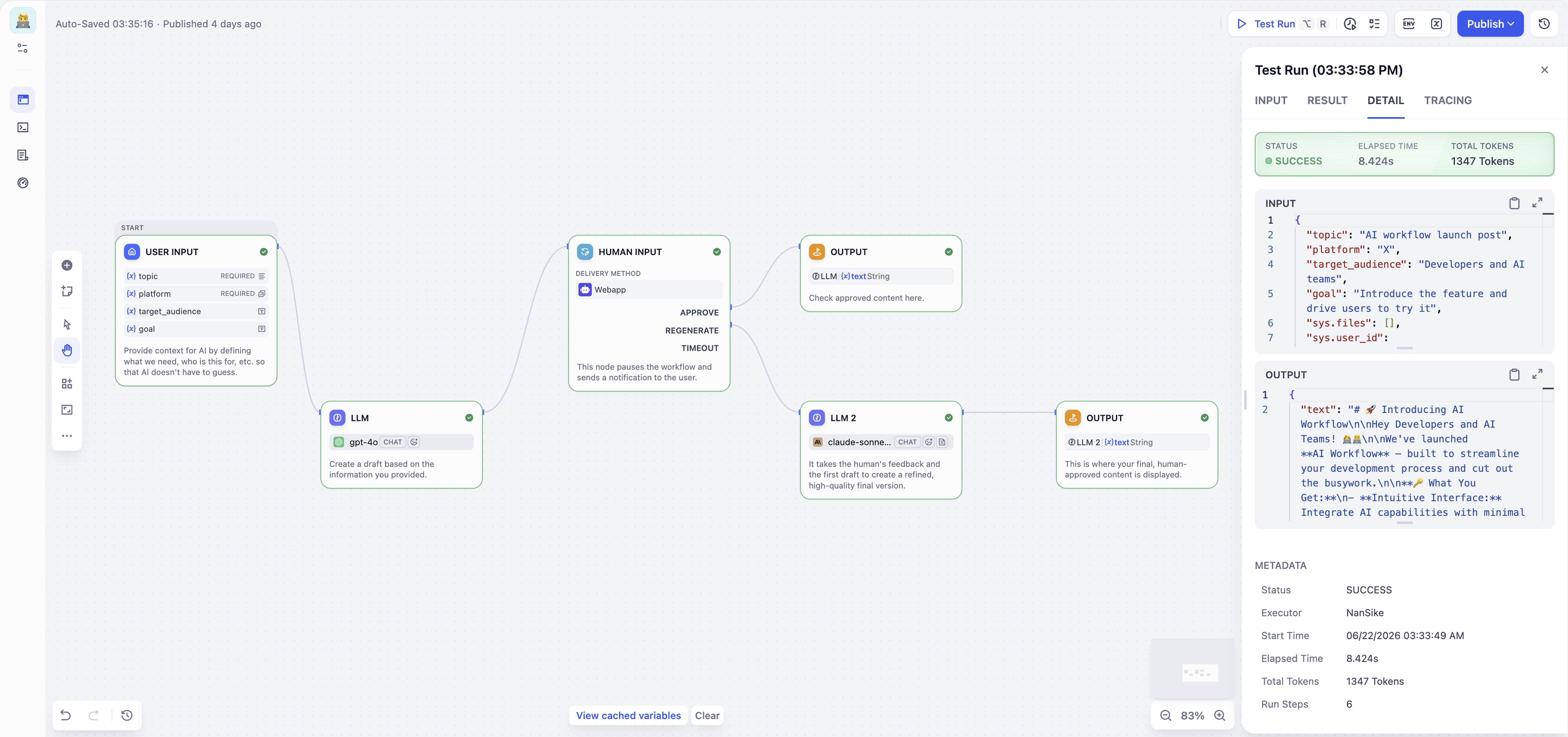
Pause before actions that affect sensitive data, access, or policy. Let a person approve, edit, comment, or forward the run before it continues.

Workflow Studio
User interactions should lead to reliable results. With Dify Workflow Studio, teams can design the logic in between on a collaborative visual canvas, combining model calls, knowledge retrieval, tools, code, branching, triggers, and human review to test and ship AI apps as real solutions that work.
A model is one node. What makes it a reliable agent is the engineering around it. A workflow is that harness.
Pause before actions that affect sensitive data, access, or policy. Let a person approve, edit, comment, or forward the run before it continues.
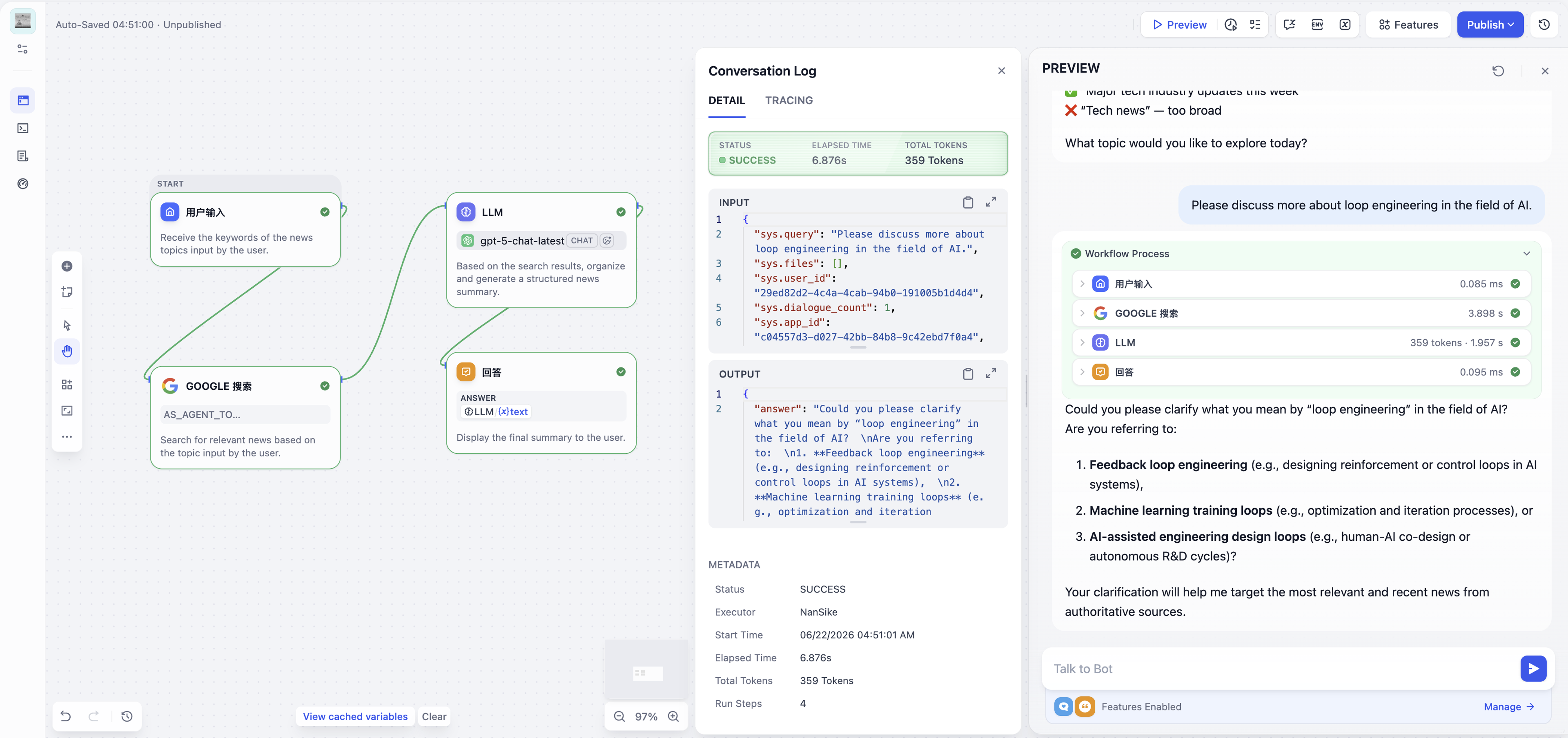
Inspect node outputs, variables, execution paths, and logs so all transactions are traced to retrieval, the model, the tool, the user, the device, or any data.
Translate inputs, retrieval, model calls, tool use, branches, and outputs into connected nodes, so the logic your business follows becomes something you can build.
Workflow and Chatflow share the same node library and execution model. They differ in how runs are triggered and how users interact with the result.
One Pass, End to End.
For automation, batch jobs, document processing, and backend pipelines. A Workflow starts from an input or trigger, runs through the designed path, and returns a result.
One Run Per Message.
For assistants, guided Q&A, and structured support. Each user message travels through the flow before a reply is sent, with conversation memory preserved across turns.
Workflows Can Start Themselves.
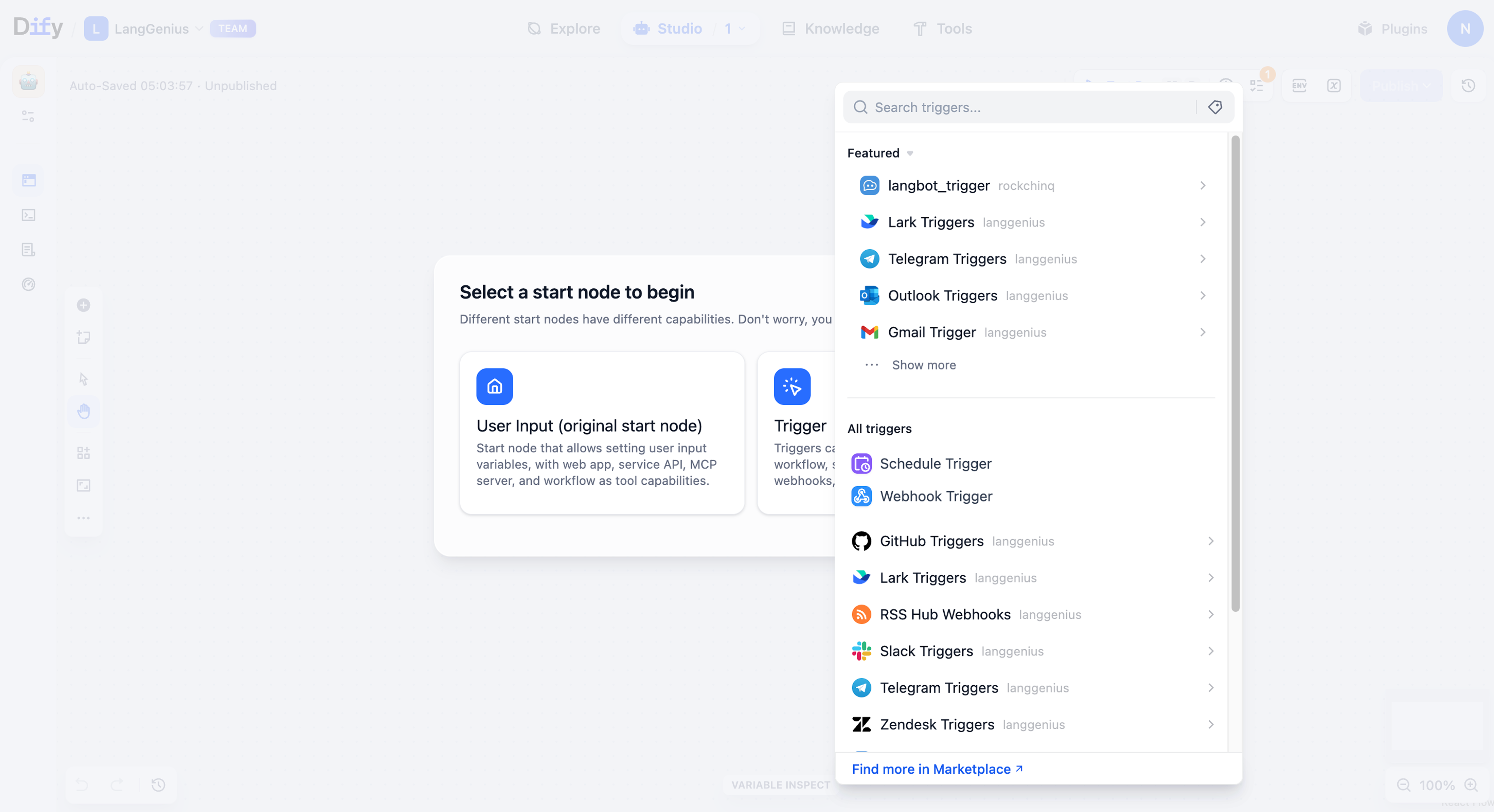
Trigger runs without a user in the loop: scheduled jobs, plugin events, and inbound webhooks.
Useful AI apps do more than call a model. They classify the request, retrieve context, branch on data, call approved systems, and pause when a human needs to decide.
Nodes we have
 User Input
 Scheduled trigger
 LLM
LLM Knowledge Retrieval
 Question Classifier
 If / Else
 Iteration
 Tool
Tool Code
Code Human Input
Node types
Begin from a user message, API call, scheduled trigger, webhook, plugin event, or uploaded payload.
Call models, classify intent, extract fields, and ground responses in prepared knowledge.
Branch with conditions, iterate over lists, loop until a result is reached, or merge paths.
Use Dify tools, custom APIs, MCP tools, HTTP requests, or sandboxed code.
Collect approval, edits, comments, forwarding, or timeout handling before the run continues.
Prototype is production — the same workflow runs throughout, with debug, reliability, versions, and traces at every step.
Debug
Debug
Run a Node, or the Whole Flow.
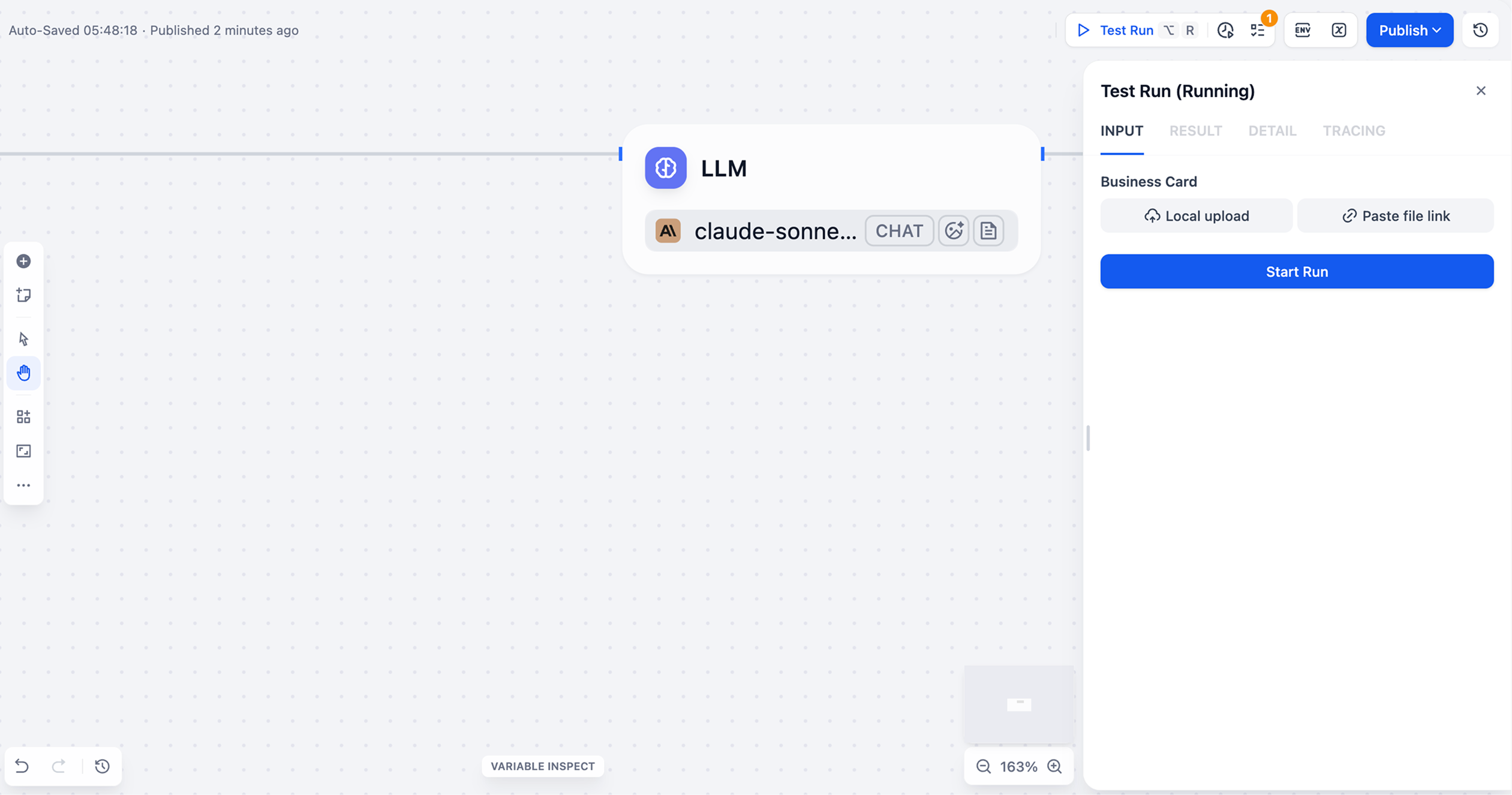
Test any part of the canvas with sample input, then inspect intermediate values before real users hit the app.
Reliability
Reliability
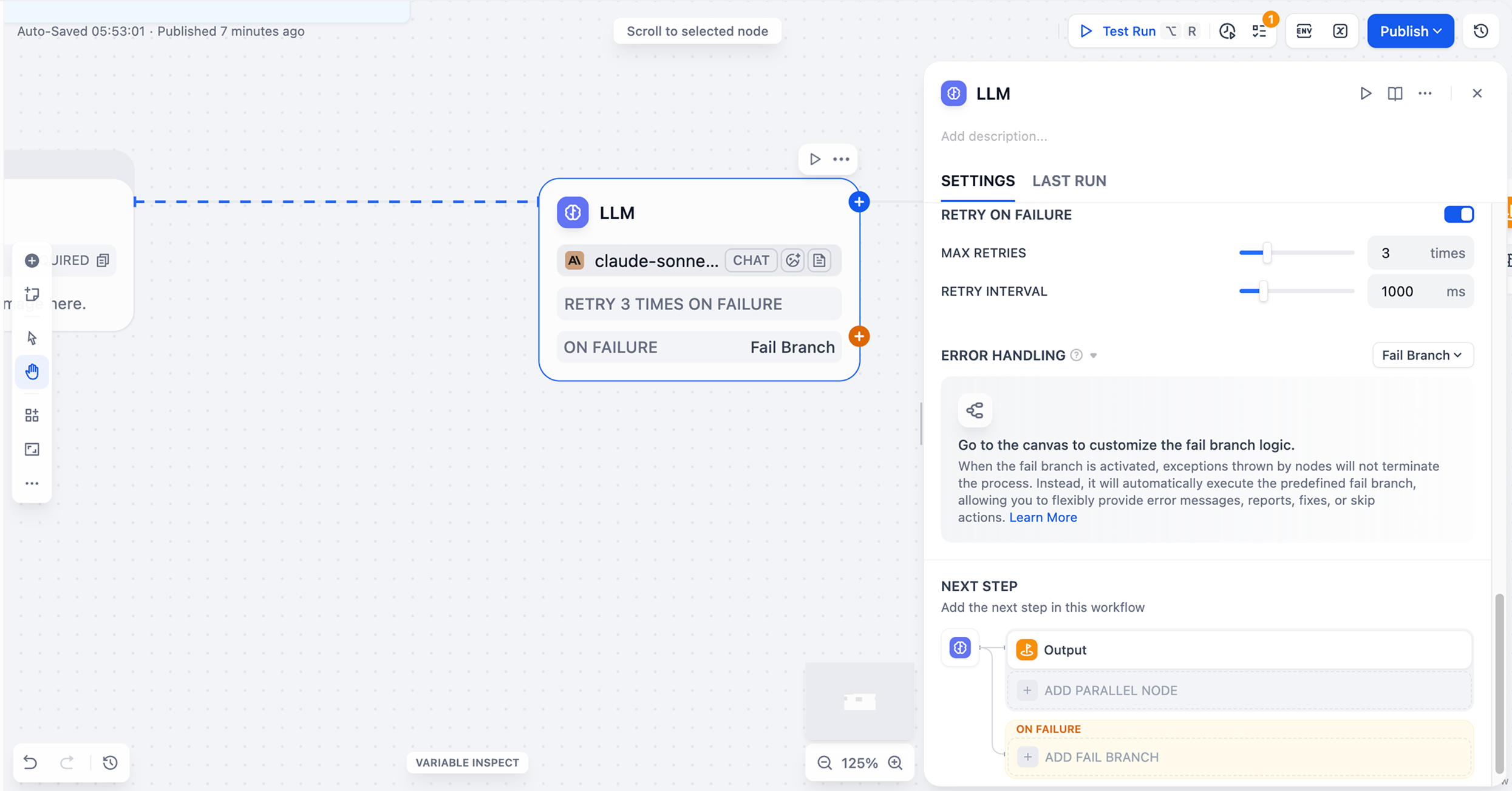
Design Predictable Failure Paths.
LLM, HTTP, Code, and Tool nodes can stop, return defaults, or route to recovery branches with typed error metadata.
Versions
Versions
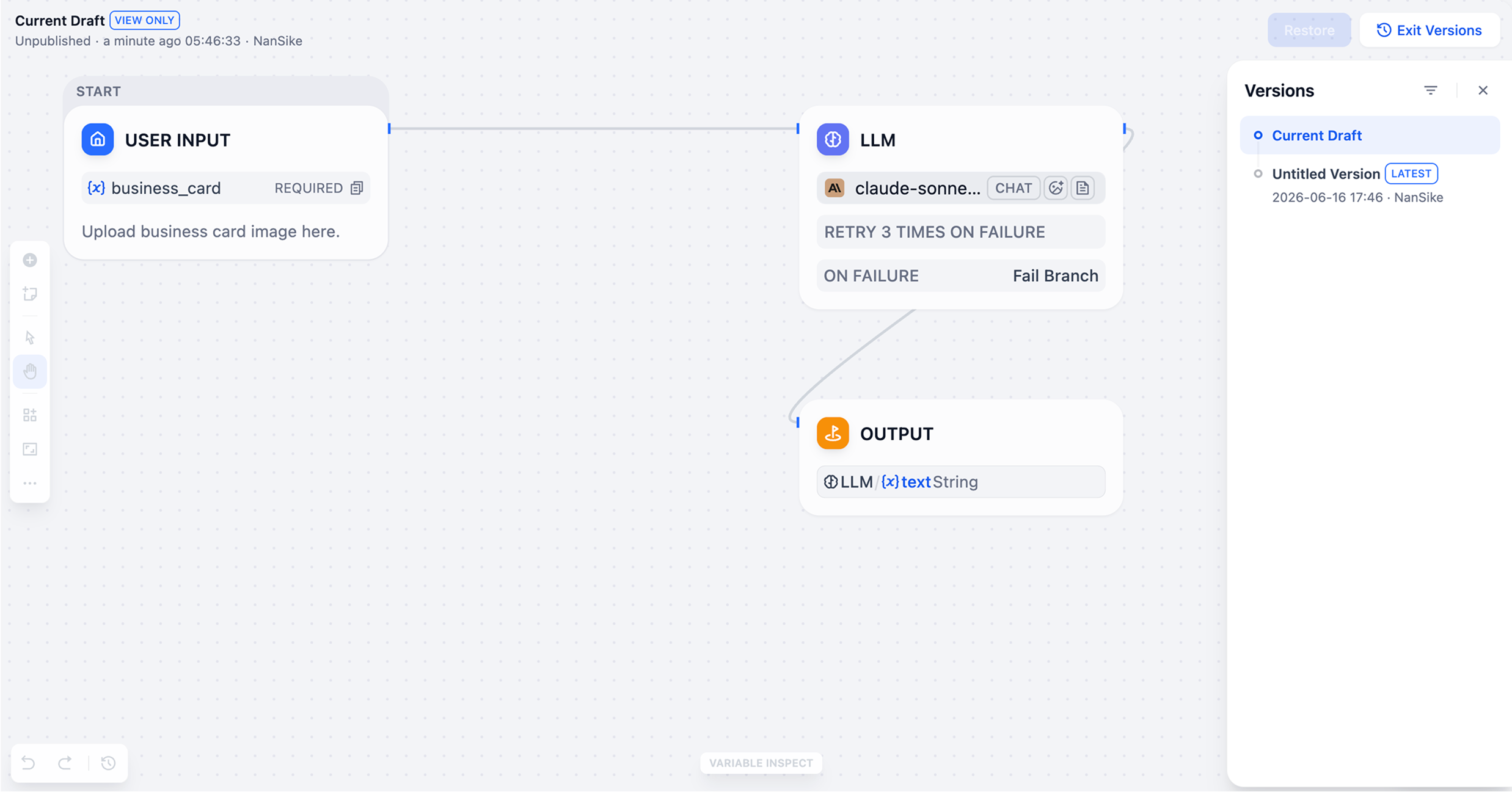
Restore Any Published Build.
Keep release history, restore published versions, and move workflows across workspaces with DSL export.
Observability
Observability
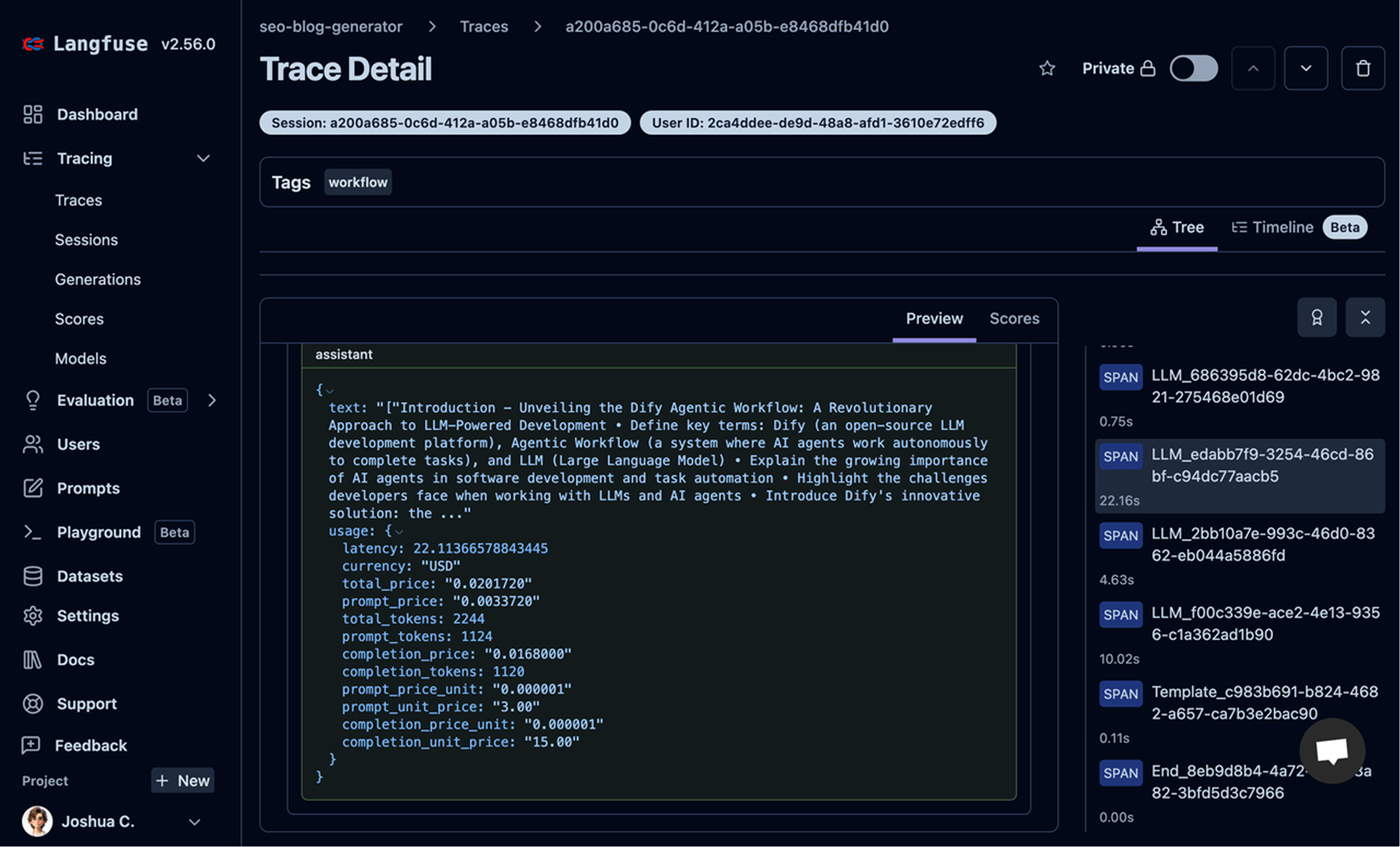
Send Runs to Your Observability Stack.
Stream traces into Langfuse, LangSmith, Arize, W&B Weave, and more.
Once the logic is ready, expose it where users and other systems need it: as a hosted app, API endpoint, MCP-compatible tool, or reusable template.
Generate app credentials, stream responses, manage sessions, and integrate from your backend.
Expose workflows as native tools for Claude Desktop, Cursor, and other MCP-aware clients.
Export DSL or publish to the Template Marketplace so teams can reuse the design.
Share a hosted app link for chat, workflow forms, sessions, citations, and batch processing.
Available via cloud-ready service or enterprise self-hosted deployment.