











The CLI has quietly become one of the most important surfaces in AI development. As terminals, scripts, CI pipelines, and coding agents like Claude Code, Codex, and Cursor take on more of the work that used to happen by hand in a browser, the command line is back at the center of how people actually build.
v1.15.0 brings Dify into that world with difyctl, the project's first official command-line tool. It gives every app and workflow you've already built in Dify a real entry point for automation and integration: not just a UI to click through, but something a script, a pipeline, or an agent can call directly. It works the same way across Enterprise Edition, Cloud, and Community Edition.
TL;DR
- difyctl is here. One CLI, one set of commands, works across Cloud, Community, and Enterprise. No more custom integration code for every app.
- Navigation got a redesign. New onboarding flow, sidebar nav instead of the old top bar, faster time to your first workflow.
- Chain-of-thought is visible everywhere: chat, workflow debug, and now the CLI too, with reasoning kept separate from the final answer.
- Human Input forms leveled up. Dropdowns and file uploads mean approval and review steps don't have to rely on free text anymore.
- Excel images get pulled into your knowledge base now, not just cell text. Charts and screenshots included.
- Community shipped two good ones:
/createfor one-line workflow generation, and per-user credential isolation so API keys and tokens aren't shared workspace-wide.
Self-hosting? This release needs a DB migration. Details at the bottom, don't skip it.
difyctl: call Dify from your terminal
Log in once, and difyctl gives you everything from the command line: list the apps in your workspace, check what inputs an app expects, and run workflows, chatflows, chatbots, or agents directly, no browser required.
That's the real shift. Dify apps were primarily run from the web console. Now they're callable the same way you'd call any other CLI tool, from a script, a CI job, or an agent's own tool-calling loop.
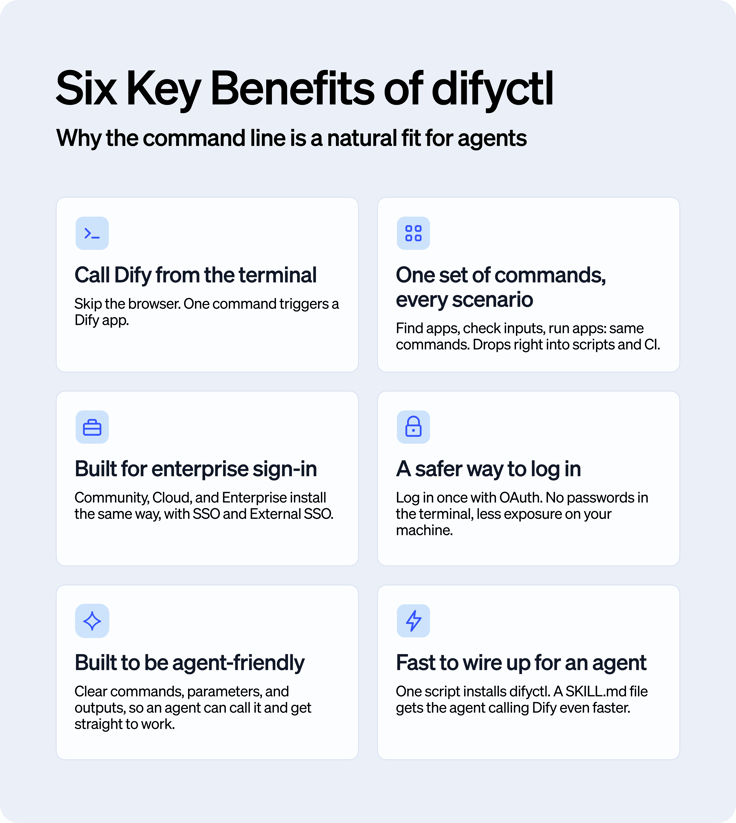
One CLI, every environment
difyctl now works on Enterprise Edition too, with the same install as Cloud and Community: no separate binary, no extra setup tax for enterprise teams. That matters more than it sounds. Once an org's accounts are unified, the real blocker is usually "how does an external identity actually call this thing." difyctl closes that gap with two sign-in paths:
- Sign in with a Dify account: the normal login flow, SSO-compatible, full permissions for that account.
- Sign in with External SSO: built for teams using an outside identity provider. External users get scoped, controlled access instead.
Either way, difyctl becomes one more link between Dify and whatever your org already runs: internal tools, approval chains, agent pipelines. You'll need Dify 1.15.0+ to use it; on Enterprise, that's EE 3.11.0+.
Why agents care about this
Coding agents (Codex, Claude Code, Cursor, Antigravity) have moved well past autocomplete. They read your codebase, edit files, run commands, and ship fixes with a human in the loop. That same pattern is showing up everywhere business workflows live:
- Sales and support: pulling customer records, drafting follow-ups, updating the CRM, summarizing tickets, kicking off approvals.
- Marketing and ops: turning messy spreadsheets into clean metrics and draft reports, automatically.
- Legal, finance, HR: reading sensitive docs inside tightly scoped permissions, flagging anomalies, routing them for approval.
- Dev and CI/CD: triggering an eval workflow through difyctl as part of a build or regression pipeline.
Agents aren't just answering questions from a chat window anymore. They're calling tools and working inside the systems a team already runs. That's exactly why the CLI matters again: it's the stable interface an agent reaches for when it needs to trigger something that's already built.
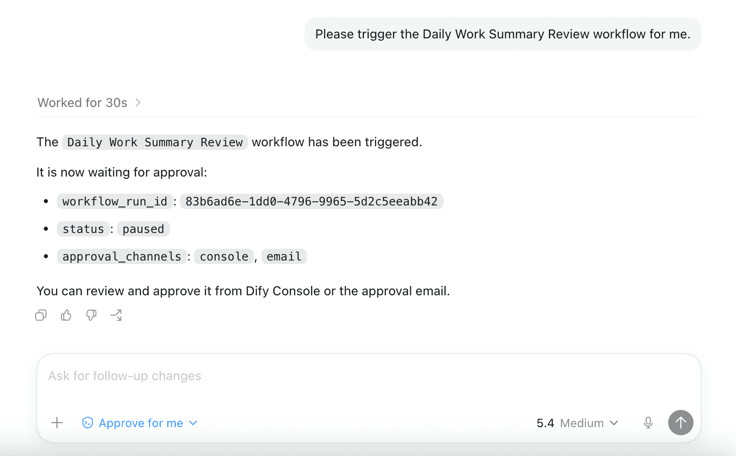
Prefer running things yourself? difyctl works the same from a local terminal, no agent required.
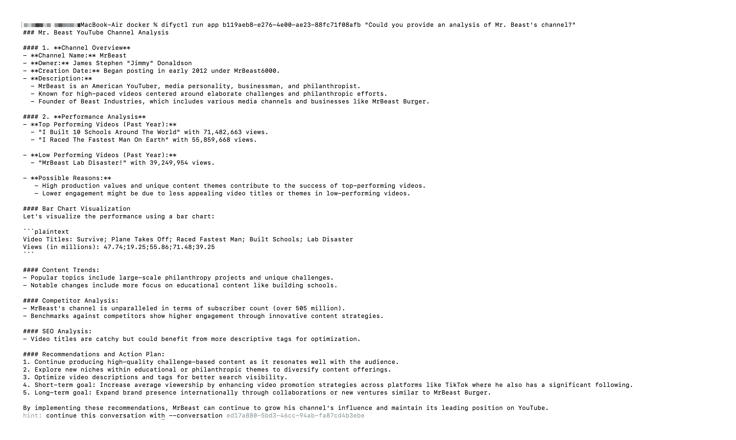
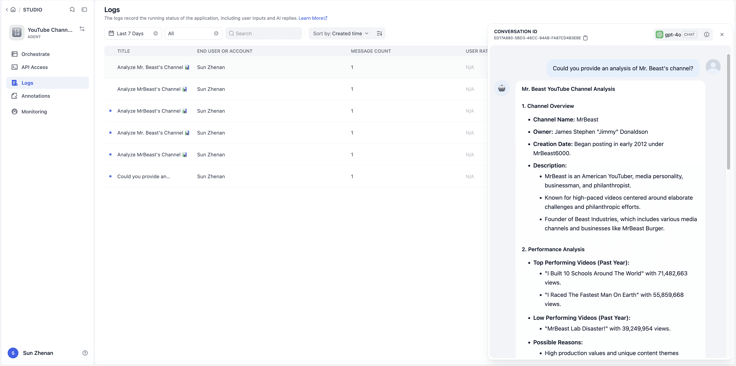
A faster path to your first workflow
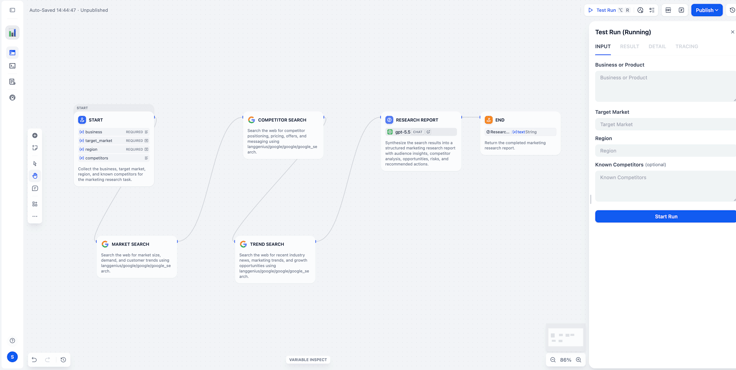
The most visible change in this release is the UI itself. Onboarding and navigation got rebuilt: sidebar instead of top nav, fewer steps to a first workflow, less hunting around.
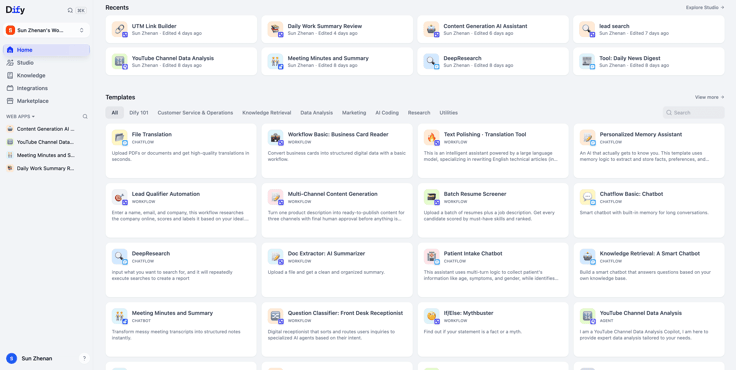
The Start node also went from two separate entry points to one clean, unified flow.
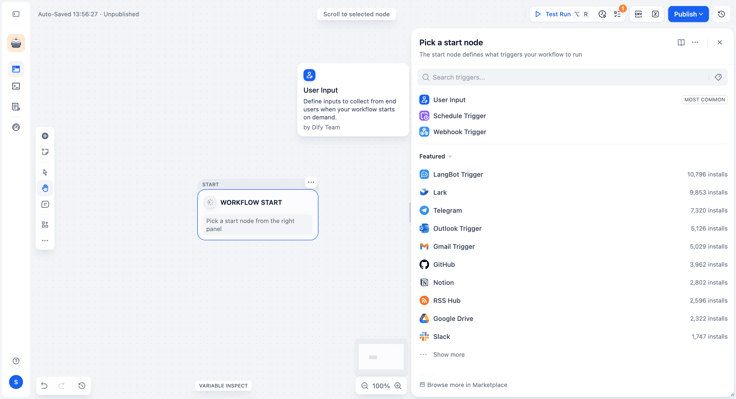
There's more scattered through the product worth finding on your own.
Reasoning, out in the open
Chain-of-thought visibility now covers chat, workflow debug, and, new in this release, the CLI.
Getting it running takes three things:
- use a reasoning-capable model.
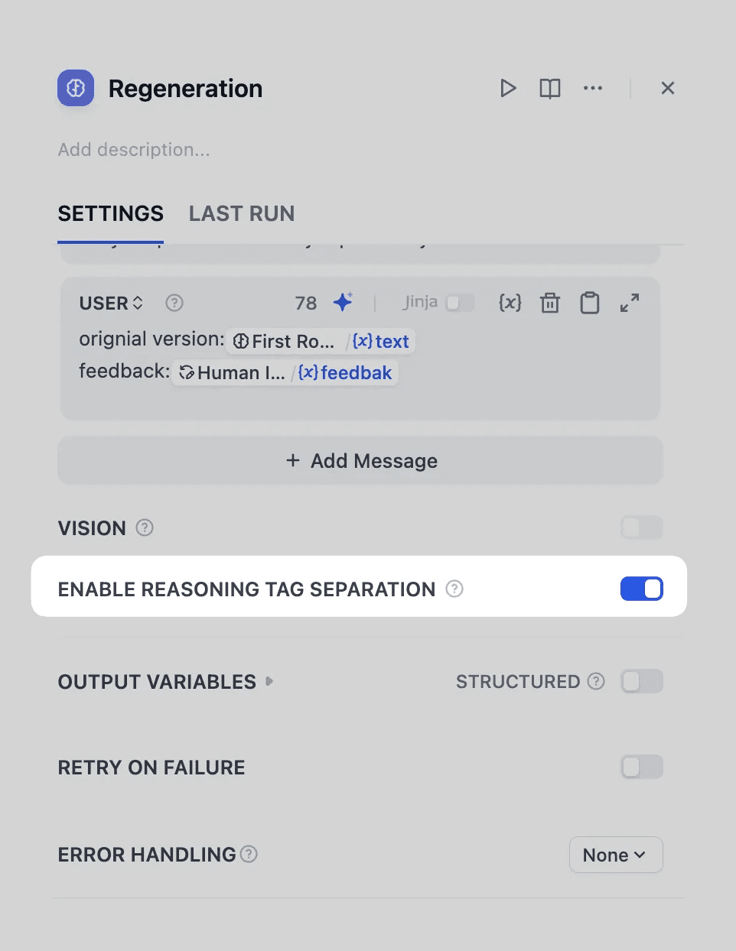
- Turn the setting on per LLM node, then look for it in the right place: a collapsible "thinking" panel in chat, a
reasoning_contentfield in workflow debug, or the--thinkflag in the CLI.
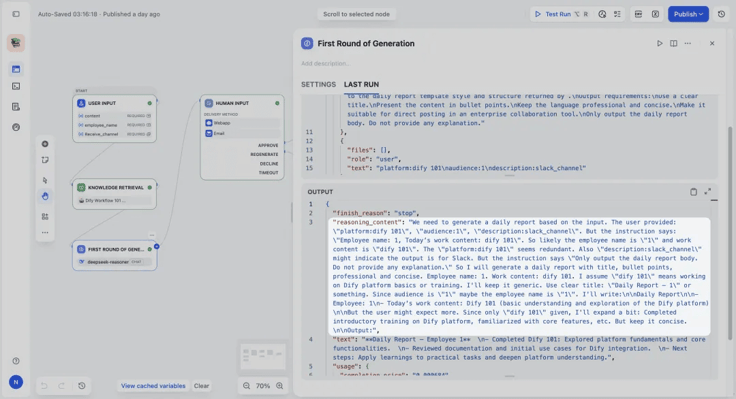
For teams building audit-sensitive workflows (finance, legal, clinical support), this is what turns "trust the model" into "check the model's work." One catch: --think just toggles the display. It doesn't manufacture reasoning that isn't there. What you actually see still depends on the model and what the run produced.
Better Human input Node, better knowledge base
Two changes aimed squarely at production use.
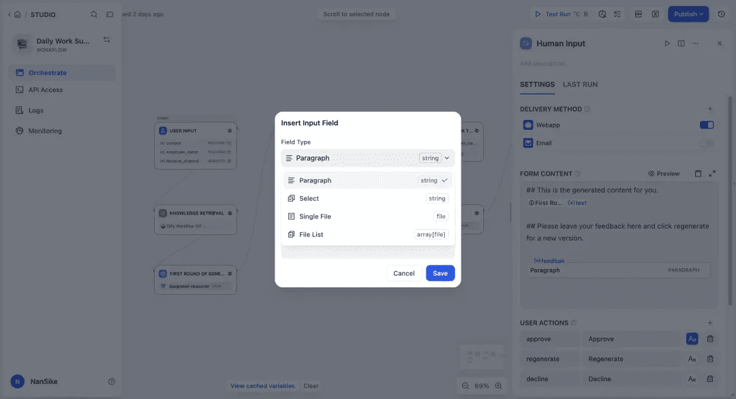
Human Input forms now support dropdowns and file uploads. Approvals can be a clean approve/reject/escalate choice instead of a text box, and knowledge workflows can take a file upload directly instead of routing through another tool.
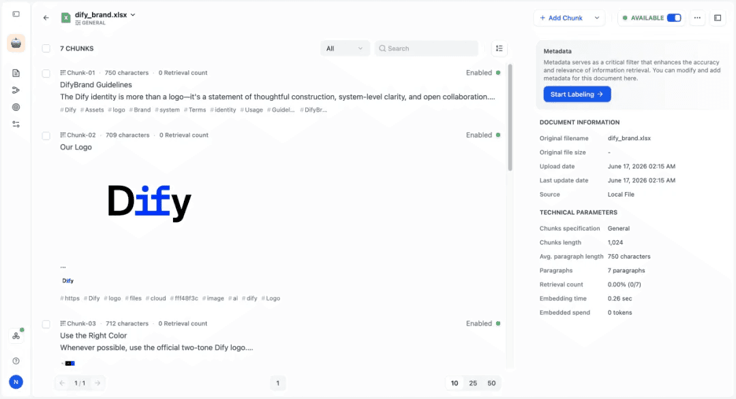
And Excel imports into the knowledge base now pull embedded images too, including charts, screenshots, and diagrams, not just what's in the cells. If your org's documentation lives half in spreadsheets and half in the images pasted into them, this closes a real gap.
From the community
Two contributions worth calling out.
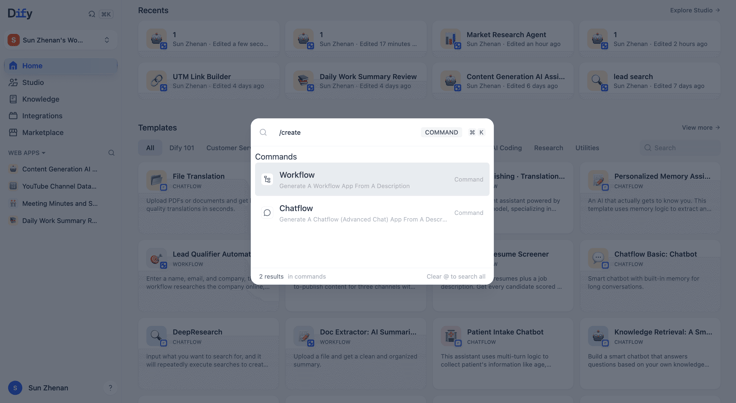
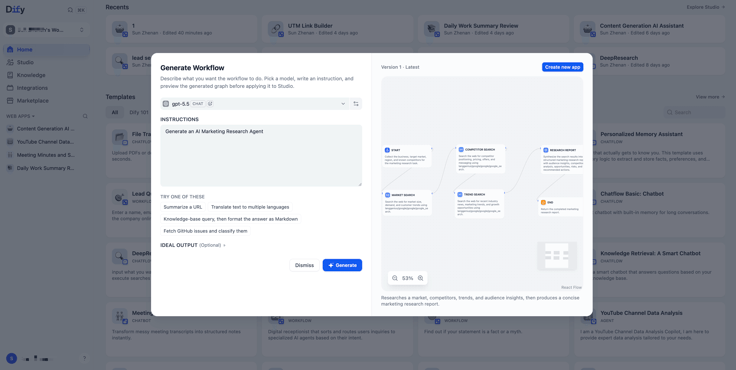
/create generates a workflow from one line. Type it into the global search bar with a short description, something like /create a workflow that writes a multi-angle product review, and you get a working draft instead of a blank canvas. Still rough around the edges; the team wants feedback on it.
 |  |
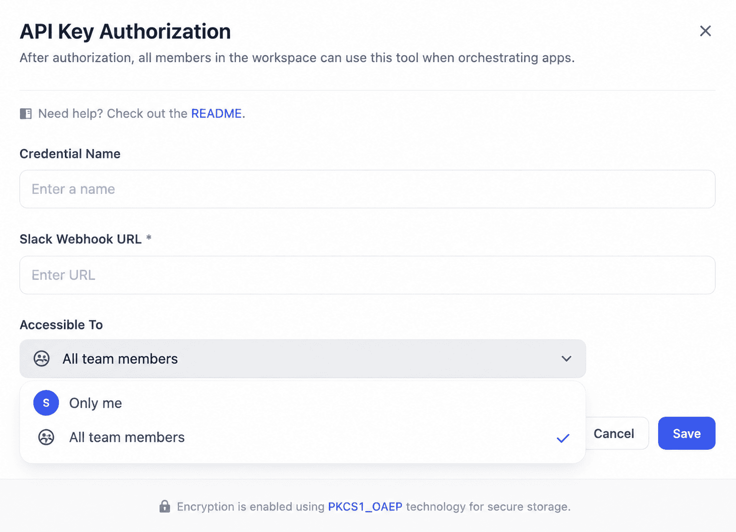
Credentials are now scoped per user. Slack webhooks, OpenAI keys, internal OAuth tokens: anything with a security boundary or a cost attached to it can now be locked to the person who owns it instead of shared across the whole workspace. Small feature, real step toward running Dify at enterprise scale.
Before you upgrade
Self-hosted? Don't skip this part. v1.15.0 needs a database migration, plus a backfill of the plugin auto-upgrade policy into the new categorization model. Skip it, and any auto-upgrade settings you'd already configured can silently break.
# Inside the API containerdocker compose exec api flask db upgradedocker compose exec api flask backfill-plugin-auto-upgradeBuild something
difyctl is a small piece of infrastructure with an outsized effect:
one command instead of a custom integration per app. Paired with everything else in this release (the redesigned nav, visible reasoning, better forms, a richer knowledge base), it's the same direction Dify's been headed in for a while: easier to call, easier to understand across a team, and safe enough to run at company scale.
Related articles
- Release
Introducing New Agent
Build agents by chatting. Dify automatically generated reusable skills and preserves the context during the conversation. When it's ready, add it into the workflow for a bigger process.
 Zhenan Sun
 - Release
Build · Share · Earn: Dify Creator Center And Template Marketplace Are Now Live
A unified platform for creators to publish and for users to discover, enabling workflows to be quickly reused and adopted at scale.
Zhenan Sun - Release
Dify 1.14.1: Workflows Become a Team Asset
Move workflows from “built” to “continuously used and reused,” so AI can fit into enterprise processes.
 Dify
Dify - Release
Dify 1.12.0 Summary Index: From fragmented retrieval to full context
Summary Index lets you attach summaries to chunks so related content is returned together.
Dify