












Dify Marketplace now connects discovery with response: you can find selected work and timely updates more easily through featured banners, and give Likes, ratings, and written feedback to help creators understand how their work is received.
Since the launch of Creator Center and Template Marketplace, Dify Marketplace has grown into a starting point for many apps built with Dify. It now brings together nearly 1,000 plugins and more than 300 templates, each giving you a way to build on work that already exists instead of starting from a blank canvas.
You might use plugins like OpenAI to bring language, embedding, moderation, and audio models into an app, or Tavily to give a research workflow access to current information from the web. Templates offer another kind of head start, with working structures for tasks such as document Q&A and presentation creation, ready for you to adapt to your own process.
As Marketplace grows, there is more to build with and more to look through. When a promising plugin or template gains greater visibility, more builders can see its potential and bring it into apps and workflows its creator may never have imagined. That gives Marketplace a larger role: helping the right work stand out and letting creators hear back.
Dify Marketplace now makes both easier. Featured banners bring top-tier work and platform updates into view, while direct feedback ensures the real-world experience behind every use reaches its creator. It closes the loop between building and learning: what you discover powers your build, and what you share helps creators improve.
What you notice, heard
A plugin might bring live information into your workflow. A template might give your team most of the structure it needs. Once that work becomes part of your own, you begin to look beyond whether it simply works. You notice what saved you time, what you adapted, and which detail took longer to understand.
Once signed in, you can share that feedback directly from a plugin or template’s detail page in Dify Marketplace. Your response can be as simple or as specific as the experience calls for. At times, a Like says everything you want to say. At others, a rating captures your overall impression. When a detail matters, written feedback lets you explain what happened in your workflow and helps the creator decide what to improve next.
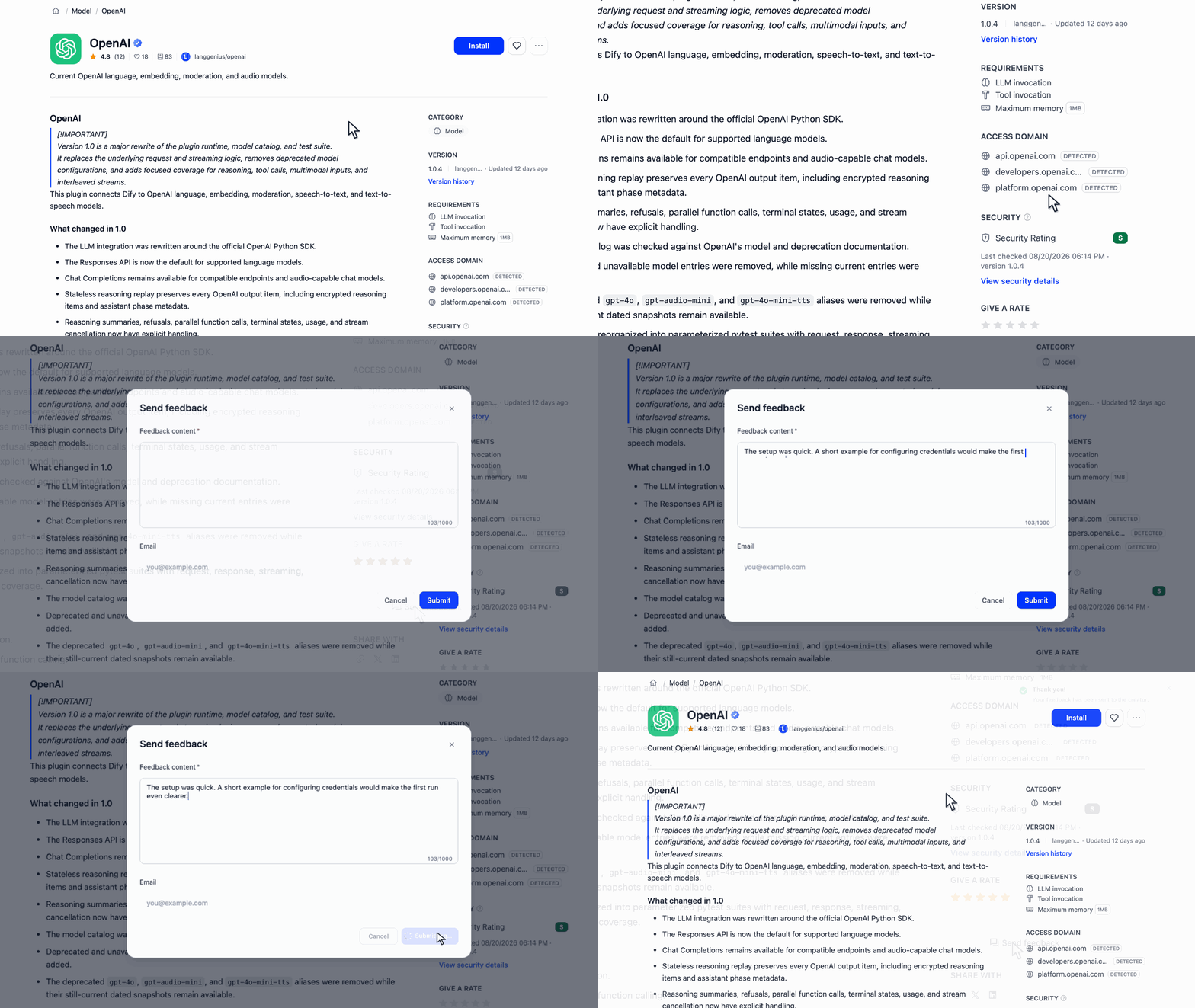
However much you choose to say, your response lets the creator see how their work became part of yours.
What you create, seen
Once you publish, your work can take on a life beyond the page where you shared it. A plugin may become one step in a much larger app. A template may be adapted to a process you did not originally design it for.
As your work takes on these new roles, Creator Center gathers the feedback it receives in one place. Each response stays connected to the plugin or template it is about, giving you both the detail behind an individual reaction and a broader view across the work you publish. One note may reveal a use case worth understanding. Similar observations across several responses may point to something worth investigating. A brief message of appreciation can also show where your work became genuinely useful.
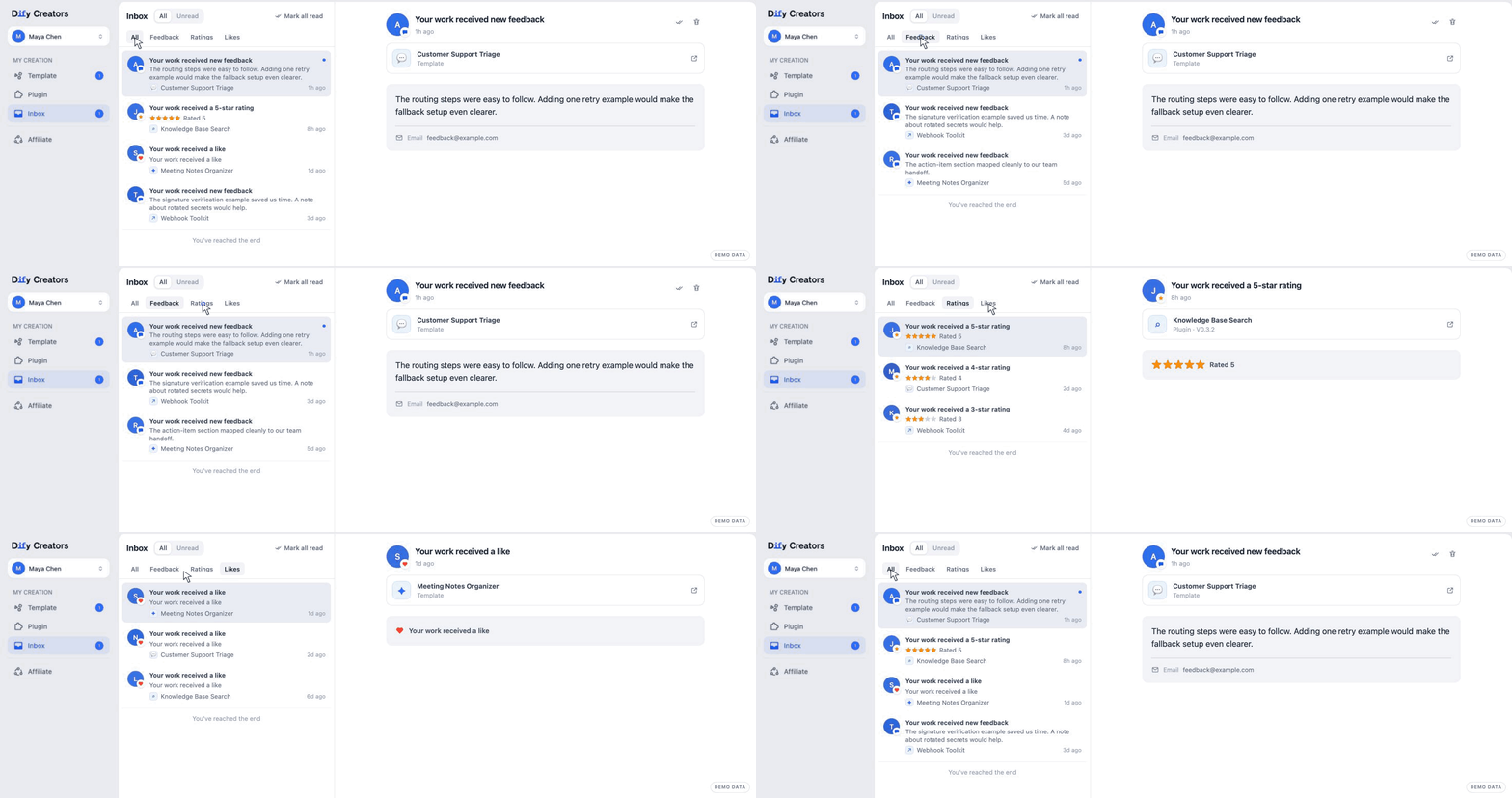
These responses give you a view of your work after it has entered someone else’s world, and a clearer sense of what deserves your attention next.
Featured work, closer at hand
Alongside feedback, new featured banners now bring selected plugins, templates, Dify updates, events, and partner campaigns to the top of Marketplace. From the moment you arrive, they offer a clearer path to a capability your app needs, an event you want to join, or a collaboration worth following.
For plugin providers and partners, the banners provide an official space for launches and collaborations. They give selected work a stronger introduction inside Marketplace, putting it in front of builders from the moment they begin exploring.
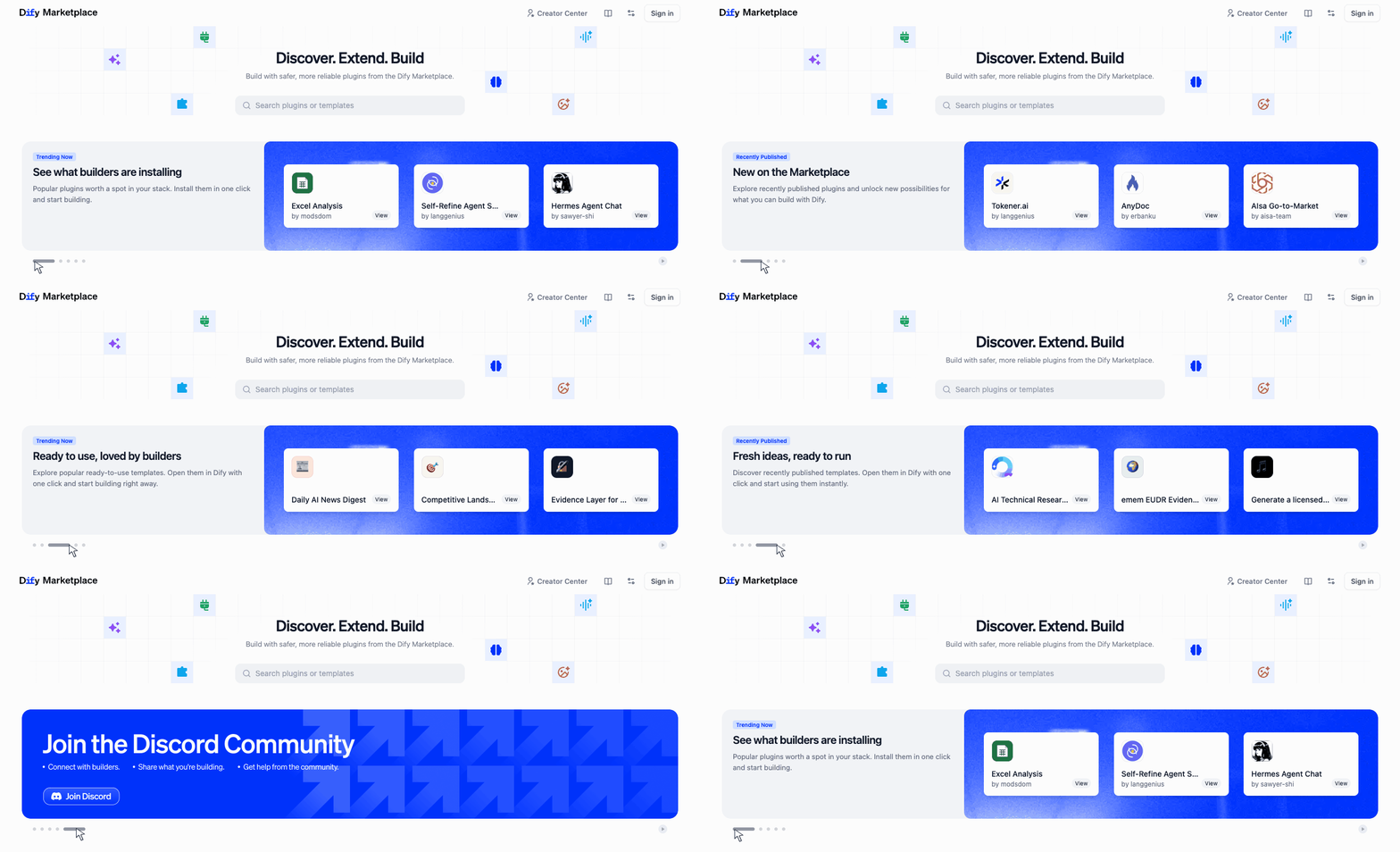
A banner may be the first glimpse of a capability, idea, or collaboration that becomes part of your own work.
Together, these updates make sharing on Marketplace feel more complete. When another person notices your work, puts it to use, and takes a moment to respond, that choice becomes a connection. Over time, these small exchanges are what turn a growing collection into a real community.
That is the Marketplace we want to keep building: one where your work helps someone create something new, and you know that it mattered.
Already publishing on Marketplace? Open Creator Center to see the feedback your work has received.
Related articles
- Product
Dify x Sonilo: Give Your Video Workflows a Licensed Soundtrack
Turn finished videos into soundtracked outputs with Sonilo on Dify. Generate licensed music and sound effects matched to each cut, all within the same workflow.

 Sonilo & Dify
 - Product
Why We Redesigned Dify's Agent?
Discover how we redesigned Agent, and how we came to see agents and workflows not as isolated components, but as collaborators that support daily work.
Dify - Product
From Logs to Evidence: Asqav Joins Dify Marketplace to Make Every Agent Action Verifiable
Dify Agents can now produce verifiable, tamper-evident receipts for actions routed through Asqav, our ecosystem partner now live on Dify Marketplace.
 Asqav & Dify
 - Product
Now on Dify Marketplace: Qubrid AI Brings Multi-Model Access to Every Dify Workflow
Install the Qubrid AI plugin on Dify to unlock unified access to DeepSeek, Kimi, Qwen, MiniMax, GLM, and more, all through one API key.
 Qubrid AI & Dify